
Building a website in 2026 isn’t just about going online; it’s about standing out in a digital world where 94% of first impressions are influenced by web design (Stanford University).
With billions of active websites competing for attention, choosing the right website builder can make or break your online success.
Among the top choices, WordPress powers over 43% of all websites worldwide (W3Techs), making it a significant industry leader.

Squarespace holds 3.1 million live sites, known for its elegant, design-driven templates, while Wix supports 8.5 million websites, appealing to beginners with drag-and-drop simplicity.
In this guide, we’ll break down WordPress vs Squarespace vs Wix in terms of features, ease of use, pricing, SEO performance, and scalability.
Whether you’re a small business owner, creative professional, or entrepreneur, this comparison will help you decide which platform is the best fit for your website goals.
What is Website Builder?
Website builders are tools that allow you to create a website without coding. They provide pre-designed templates and drag-and-drop features to make the process easy.
Some of the most popular website builders are WordPress, Squarespace, and Wix. But each of these platforms has its strengths and weaknesses.
Here’s a quick overview:
- WordPress: An open-source platform known for its extensive customization options. Ideal for those with some technical expertise.
- Squarespace: Known for its sleek designs and all-in-one solution. Perfect for creatives and those seeking simplicity.
- Wix: Offers a user-friendly drag-and-drop interface. Great for beginners and small projects.
Quick Comparison Table: Wix vs Squarespace vs WordPress
| Feature | WordPress | Squarespace | Wix | Design.com |
| Primary Focus | Ultimate Flexibility & Ownership | Curated Design & Ease of Use | Drag-and-Drop Simplicity & Creative Freedom | Fast Website Creation with Branding Tools |
| Ease of Use | Moderate to Advanced (Requires setup) | Excellent (Beginner-Friendly) | Excellent (Easiest for Beginners) | Excellent (Beginner-Friendly) |
| Design Control | Unlimited (Full code access) | Very Good (Structured, section-based editor) | Total (Unstructured, pixel-perfect editor) | Good (Visual editor with preset sections) |
| Templates / Themes | Tens of Thousands | ~150 (Award-Winning) | 900+ (Cannot Switch) | 3,000+ |
| App Marketplace | Massive (50,000+ plugins) | Smaller (Curated Extensions) | Large (Wix App Market) | Limited (Integrated branding ecosystem) |
| SEO Capabilities | Excellent (with plugins) | Very Good | Very Good | Basic |
| Blogging | Excellent (Industry Leader) | Very Good | Good | Basic |
| eCommerce | Excellent (with WooCommerce) | Good (Built-in) | Very Good (Wix eCommerce) | Basic (via paid plans) |
| Best For | Bloggers, businesses needing full control | Creatives, portfolios, elegant stores | Absolute beginners, small businesses | Entrepreneurs and small businesses wanting a branded site fast |
Pricing Comparison: WordPress vs Squarespace vs Wix
| Platform | Wix | Squarespace | WordPress | Design.com |
| Entry eCommerce Plan | Light($17/month) | Personal ($25/month) | Business ($9/month) | Free (limited features) |
| Mid-Tier eCommerce Plan | Core ($29/month) | Business (36$/month) | Business ($40/month) | Premium ($9/month, billed monthly) |
| Advance eCommerce Plan | Business($39/month) | Commerce (Basic)(40$/month) | Commerce (70$/month) | Premium ($6/month, billed annually) |
| Business eCommers Plan | Business Elite($159/month) | Commerce(advance) (72$/month) | Enterprise (Starting from 25000$/year) | N/A |
| Transaction Fees | 0% with Wix Payments | 3% on Business, 0% on Commerce plans | 0% with WordPress | N/A |
| For Yearly Payment | NO | Save Up to 36% | Save Up to 69% | Save 33% |
WordPress: The Open-Source Giant
WordPress is a powerful website builder. It’s open-source, meaning its code is accessible to everyone. This allows for extensive customization. You can tweak every aspect of your site.
However, this flexibility comes with a learning curve. WordPress is ideal for those with some technical expertise. It’s not as beginner-friendly as Wix or Squarespace.

But once you get the hang of it, the possibilities are endless.
WordPress also has a large community of users and developers. This means you can find a solution to almost any problem.
WordPress is also a great choice for bloggers. It started as a blogging platform and still excels in this area.
WordPress Pros and Cons
WordPress has many advantages. Its flexibility is unmatched. You can create any type of website. From blogs to eCommerce stores, WordPress can handle it all.
However, this flexibility can be overwhelming for beginners. The learning curve is steeper than other website builders. But once you master it, you’ll appreciate the control it offers.
WordPress also requires regular updates for security and functionality.
WordPress for Blogging and SEO. WordPress is a favorite among bloggers. It offers powerful blogging tools.
You can easily create and manage posts. WordPress also excels in SEO. It offers many SEO plugins to optimize your site.
However, you’ll need to understand SEO basics to use them effectively. WordPress also allows for SEO-friendly URL structures.
This can help improve your site’s visibility in search results.
WordPress Themes and Plugins
WordPress offers thousands of themes and plugins. Themes dictate your site’s appearance. Plugins add functionality to your site.
You can find a plugin for almost anything. From SEO to social media sharing, there’s a plugin for that.
However, too many plugins can slow down your site. It’s important to only use what you need.
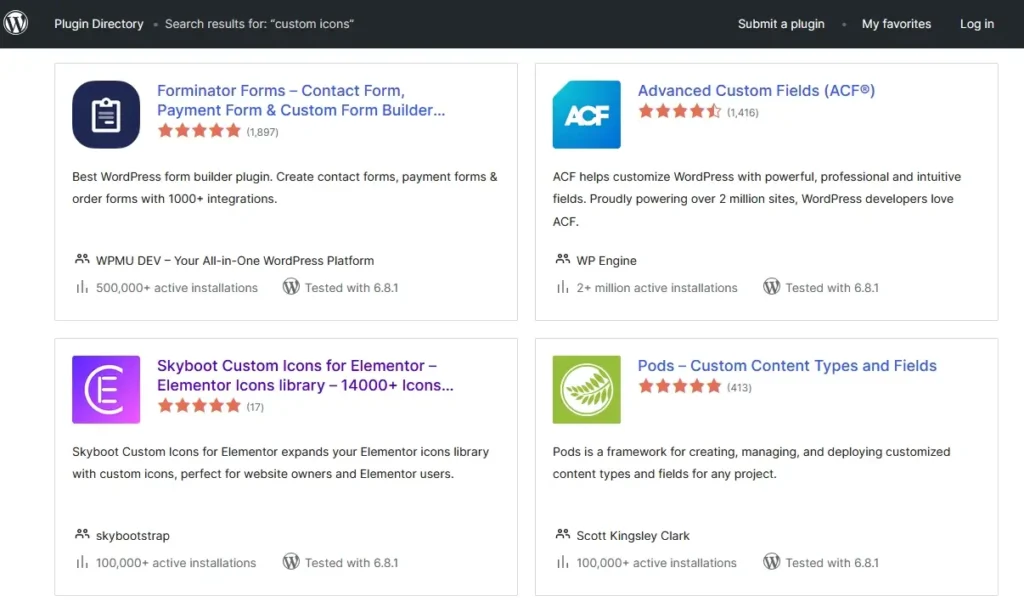
Also, not all plugins are created equal. Some may have security vulnerabilities or may not be updated regularly.
WordPress Pricing
WordPress itself is free and open-source when downloaded from WordPress.org.
You only pay for essentials like web hosting (starting around $3–10/month), a domain name (~$10–15/year), and optional premium themes or plugins for advanced features.
This makes WordPress one of the most flexible and cost-effective platforms for building websites of any size.
If you prefer an all-in-one hosted solution, WordPress.com offers paid plans starting at $4/month (Personal), with higher tiers like Premium ($8/month), Business ($25/month), and eCommerce ($45/month), which include hosting, security, and customer support.
With WordPress, you get complete freedom to customize your site while controlling costs—making it ideal for beginners, bloggers, and businesses alike.
Design.com: The All-in-One Branding and Website Builder
Design.com is a website builder built with speed and branding in mind. It’s designed for people who want to go from zero to a live, professional-looking website without spending hours on setup. Just enter your business name or a short description, and the platform gets to work.
What sets Design.com apart is its focus on brand consistency. The website builder works alongside Design.com’s logo maker and marketing tools, so your site, logo, and assets all look like they belong together.

It’s not built for developers or power users. Design.com is made for entrepreneurs, small business owners, and freelancers who need something that looks good and works right away.
But don’t let its simplicity fool you. With 3,000+ professionally designed templates and a clean visual editor, there’s plenty of room to make it your own.
Design.com Pros and Cons
Design.com’s biggest strength is how quickly you can get a polished website up and running. There’s no learning curve to speak of. You pick a layout, adjust your content and colors, and publish.
The built-in branding ecosystem is another genuine advantage. If you’re building a brand from scratch, having your logo, website, and marketing materials all in one place saves a lot of back-and-forth.
That said, the platform is geared toward beginners and small businesses. Those who want deeper design control or more advanced customization may find it a bit limiting, though for most users, that tradeoff is well worth the simplicity.
Design.com is browser-based, so there’s no dedicated desktop or mobile app to install. The good news is the web experience runs smoothly across devices, so it rarely feels like a limitation in practice.
It’s also worth noting that the platform is not developer-oriented. If you’re looking for complex integrations or custom-coded features, you’ll want to look elsewhere. But if you just need a clean, branded website without the technical headache, Design.com handles that well.
Design.com Templates and Customization
Design.com gives you access to over 3,000 templates organized by industry. Whether you’re a photographer, a restaurant owner, or a consultant, there’s a starting point that fits.
From there, you can edit fonts, colors, sections, and layouts through a simple visual editor. No code required. You can also add gradients, shapes, and other visual elements to give your site a more custom feel.
The editor is clean and approachable, which is part of the appeal. It won’t overwhelm you with options, and most people can have a working site ready within an hour.
Design.com Pricing
Design.com offers a free plan that lets you browse and edit websites without committing. It’s a good way to get a feel for the platform before spending anything.
For a fully published site with all features unlocked, the paid plan costs $9/month. Opt for annual billing, and that drops to $6/month, saving you 33% over the course of the year. Hosting is included with all paid plans, so there are no extra costs on that front.
Best Hosting Solutions
- Best High Speed Web Hosting by Hostinger
- Low Cost Web Hosting Solution for Everyone by NameCheap
- Next-Gen VPS Hosting Solutions by Liquid Web
- Exclusive Website hosting by Inmotion Hosting
Best Cloud Hosting Solutions
Start Your eCommerce Online Store
Shopify eCommerce Online Store Builder for just $1
Marketing Tools
SEO Tools
#1 All in One SEO Tool – Semrush
Squarespace Website Builder Overview
Squarespace is known for its sleek designs. It offers an all-in-one solution for website building. This means you get hosting, a domain, and a builder in one package.
Squarespace is user-friendly. It’s a great choice for beginners and creatives.
You can create a professional-looking website without any coding.
Squarespace also offers e-commerce capabilities. You can sell products directly from your site.
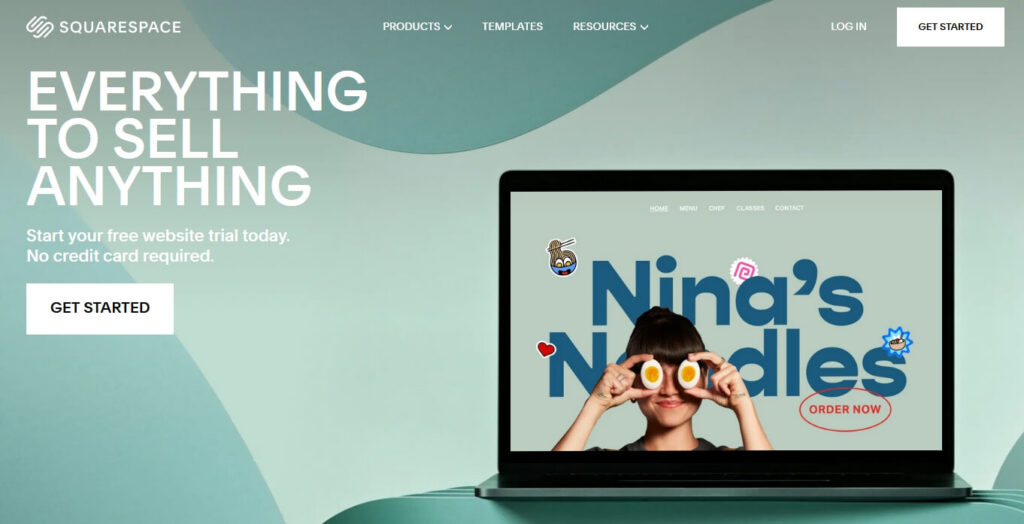
However, it’s not as flexible as WordPress.You’re limited to the features Squarespace provides.
But for many users, this is enough. Squarespace also offers excellent customer support. You can get help via live chat or email.
Squarespace Pros and Cons
Squarespace has many advantages. Its designs are modern and professional. You can create a beautiful website with ease.
Squarespace also offers excellent customer support. However, it’s not as flexible as WordPress.
You’re limited to the features Squarespace provides. Also, Squarespace is more expensive than other website builders.
But for many, the price is worth the convenience and design quality.
Squarespace for eCommerce and Creatives
Squarespace is a great choice for creatives. Its templates are designed with portfolios and galleries in mind.
You can showcase your work in a visually appealing way. Squarespace also offers e-commerce capabilities.
You can sell products directly from your site. However, its eCommerce features are not as robust as some other platforms.
But for small to medium-sized online stores, it’s more than enough. Squarespace also offers integration with Instagram for selling products.
Squarespace Templates and Customer Support
Squarespace offers a range of templates. These are professionally designed and responsive. You can customize them to suit your brand.
However, the number of templates is limited compared to WordPress.
But the quality of Squarespace templates is generally higher. Squarespace also offers excellent customer support.
You can get help via live chat or email. They also have a comprehensive help center with guides and tutorials.
Squarespace Pricing
Squarespace offers flexible pricing plans designed for individuals, small businesses, and online stores.
The Personal plan starts at $16/month (or save 36% with annual billing), ideal for personal projects or portfolios.
The Business plan at $23/month adds eCommerce features and advanced customization. For selling products, the Commerce plan costs $28/month (30% savings annually).
The Advanced Commerce plan at $52/month (27% savings annually) provides powerful tools like abandoned cart recovery and advanced shipping.
With transparent pricing and built-in features, Squarespace delivers great value for creatives and entrepreneurs.
Wix: User-Friendly for Beginners
Wix is a popular choice among beginners. It offers a drag-and-drop interface. This makes it easy to create a website. You don’t need any coding skills.
Wix also offers a range of templates. These can be customized to suit your brand. Wix also offers a free plan. This is great for small projects or personal use.

However, the free plan has limitations. For example, you can’t use your own domain. Wix also offers premium plans.
These offer more features and capabilities. Wix also has a strong focus on design. It offers a range of design tools and features.
Wix Pros and Cons
Wix has many advantages. It’s easy to use and beginner-friendly.
You can create a professional-looking website without any coding.
Wix also offers a range of templates. These can be customized to suit your brand.
However, Wix is not as flexible as WordPress. You’re limited to the features Wix provides.
Also, Wix’s SEO capabilities are not as robust as some other platforms.
Wix for Small Business and Personal Use
Wix is a great choice for small businesses and personal use. It’s easy to use and offers a range of features. You can create a professional-looking website without any coding.
Wix also offers eCommerce capabilities.
You can sell products directly from your site. However, its e-commerce features are not as robust as some other platforms.
But for small to medium-sized online stores, it’s more than enough. Wix also offers a range of marketing tools.
Wix Design Flexibility and Apps
Wix offers a range of design tools. You can customize your site to suit your brand.
Wix also offers a range of apps. These can add extra functionality to your site.
However, the number of apps is limited compared to WordPress. But for many users, the available apps are enough.
Wix also offers a mobile editor. You can customize the mobile version of your site.
Wix Pricing
Wix provides a range of pricing plans tailored to different business needs. The Light plan starts at $17/month, perfect for building a personal brand or online presence.
The Core plan at $29/month is designed for small businesses that need to accept payments.
For growing businesses, the Business plan at $39/month adds advanced eCommerce features.
At the top tier, the Business Elite plan costs $159/month, offering powerful tools to support large or complex operations.
All plans include a custom domain, reliable hosting, AI website creation tools, 24/7 customer support, and a 14-day money-back guarantee.
WordPress vs Squarespace vs Wix vs Design.com Head-to-Head Comparison
Now, let’s compare WordPress, Squarespace, Wix, and Design.com head-to-head. We’ll look at ease of use, design and customization, SEO optimization, pricing, and support.
Each platform has its strengths and weaknesses. Your choice will depend on your needs and skills.
Here’s a quick comparison:
- WordPress: Best for flexibility and customization
- Squarespace: Best for design and simplicity
- Wix: Best for beginners and ease of use
- Design.com: Best for fast, branded website creation without any technical setup
Ease of Use
WordPress has a steeper learning curve. But it offers more flexibility.
Squarespace is more intuitive. But it’s less flexible than WordPress.
Wix is the easiest to use.
Design.com is just as beginner-friendly as Wix, with a setup process that takes minutes rather than hours.
Design and Customization
WordPress offers the most customization options. But it requires more technical skills.
Squarespace offers beautiful designs. But customization is limited.
Wix offers a balance of design and customization.
Design.com keeps things simple with a clean visual editor and 3,000+ industry-specific templates.
SEO Optimization and Performance
WordPress offers robust SEO tools. But performance depends on your hosting.
Squarespace offers built-in SEO tools. But it’s not as flexible as WordPress.
Wix offers basic SEO tools.
Design.com covers SEO fundamentals without requiring any extra plugins or tools.
Pricing and Value for Money
WordPress is free. But you’ll need to pay for hosting and premium themes or plugins.
Squarespace offers all-in-one pricing. But it’s more expensive than WordPress.
Wix offers a free plan. But premium plans are needed for more features.
Design.com offers a free plan with paid options starting at $6/month annually.
Support and Resources
WordPress has a large community. You can find many resources online.
Squarespace offers 24/7 customer support. But it lacks a large community.
Wix offers both community and customer support.
Design.com provides 24/7 customer support. However, the platform is simple enough that most users rarely need it.
More useful article for you:
👉 6 Best Website Builders for Small Business
👉 Best AI Website Builders in 2026 [Free & Paid]
👉 10 Tips to Choose a eCommerce Website Builder for Your Business
👉 How to Make a Website for Selling Products in 2026
👉 5 Best No Code Website Builders in 2026 for Non-Technical Entrepreneurs
FAQs
Is Wix, Squarespace, or WordPress better in 2026?
Each platform has strengths. WordPress is best for customization, SEO, and scalability. Squarespace is ideal for creatives who want beautiful designs without much setup. Wix is beginner-friendly with strong drag-and-drop tools. The best choice depends on whether you prioritize ease of use, design, or flexibility.
Is SEO better on WordPress, Squarespace, or Wix?
WordPress offers the strongest SEO features because of plugins like Yoast and Rank Math, giving users full control over optimization. Squarespace has decent built-in SEO tools, while Wix has improved but still lacks the depth and flexibility WordPress provides. For businesses serious about ranking, WordPress is the top option.
Is WordPress harder to learn than Wix or Squarespace?
Yes, WordPress has a steeper learning curve compared to Wix and Squarespace. Wix and Squarespace are designed for beginners, offering drag-and-drop editors. WordPress, however, provides more customization and control, which requires some technical skills but pays off in scalability.
Can I transfer my domain from WordPress to Squarespace or Wix?
Yes, you can transfer a domain from WordPress to Squarespace or Wix. The process involves unlocking your domain, obtaining an authorization code, and completing the transfer with your new provider. Each platform provides step-by-step guides to simplify the migration.
Does WordPress require coding?
No, WordPress does not require coding for basic use. Most themes and plugins allow you to build a site without writing code. However, knowing some HTML, CSS, or PHP can be helpful if you want advanced customizations.
Is Squarespace safer than WordPress?
Squarespace is often considered safer for beginners because it handles hosting, security, and updates automatically. With WordPress, security depends on your hosting provider, theme, and plugins. With the right setup and maintenance, WordPress can be just as secure, but it requires more management.
Conclusion: Which Website Builder is Right for You?
Choosing a website builder is a personal decision. It depends on your needs, skills, and budget. If you value flexibility and control, WordPress is a great choice.
For sleek designs and simplicity, consider Squarespace. If you’re a beginner looking for ease of use, Wix is a good option. Remember, there’s no one-size-fits-all solution. Take the time to explore each platform. Consider your long-term needs.
Choose the one that aligns with your goals. In the end, the best website builder is the one that helps you create a successful online presence.