
Your website is more than just a digital storefront; it’s your hardest-working salesperson. It doesn’t take coffee breaks, doesn’t sleep, and greets every visitor, day or night.
But here’s the catch: if your content doesn’t grab attention instantly, your “salesperson” is losing prospects before they’ve even looked around.
In today’s online world, first impressions are everything. Research often points to the so-called 8-second attention span for online audiences.
While the exact number is debated, the reality is clear: people decide within seconds whether your site is worth their time.
If your content doesn’t deliver relevance and clarity right away, they click away. And in 2026, the stakes are even higher.

A study shows that 73% of consumers say website experience heavily influences their brand loyalty.
That means your content isn’t just a nice-to-have; it’s a loyalty driver.
On the flip side, the cost of failure is steep: 88% of users admit they won’t return after a poor website experience.
One weak piece of copy, one wall of unreadable text, and you’ve lost a potential customer permanently.
Think about it: your website content answers questions, solves problems, and builds trust before you ever get the chance to talk to a prospect.
Done right, it works like a seasoned closer, guiding people from curiosity to decision. Done poorly, it sends them straight to a competitor.
This is why mastering website content in 2026 isn’t optional; it’s a matter of survival.
The good news? You don’t need flashy gimmicks or complicated tricks.
You need strategy, clarity, and a deep understanding of your audience.
This playbook will give you 13 proven, practical tips to help you write content that not only grabs attention but keeps people engaged and drives them to take action.
Key Takeaways:
- Know your audience deeply, understand who you’re speaking to and what they care about.
- Lead with headlines that hook, and they decide whether people keep reading.
- Highlight benefits, not just features, and show real outcomes for your reader.
- Use trust-builders like social proof, testimonials, reviews, and proof points.
- Keep your content clear, scannable, and updated, because great content works only if it’s read.
Why Great Content Is Your Best Salesperson
Think of your website content as your best salesperson, the one who works 24/7, never interrupts a lead, and answers the tough questions before anyone on your team picks up the phone.
Done well, content earns trust, qualifies visitors, and nudges them toward a decision. And done poorly, it creates doubt, confusion, and fast exits.
Why this matters now: customers increasingly judge brands by the experience you deliver online.
In fact, 73% of consumers say experience is a major factor in their purchasing decisions, which means your content plays a direct role in whether someone becomes a loyal customer or clicks away.
PwC and experience isn’t forgiving: about 88% of users say they’re less likely to return after a bad site experience.
That’s nearly nine out of ten missed opportunities.
High-quality content acts like a top-performing salesperson
Attracts the right prospects. Good content (SEO + useful pages) brings motivated visitors to your site instead of random clicks, so your “salesperson” talks to people who actually want what you offer.
(See content marketing ROI and lead-generation evidence below)
Qualifies and educates. Clear, benefit-focused copy answers What’s in it for me? and filters out unqualified visitors, saving time for both prospects and your team.
Builds credibility before contact. Case studies, testimonials, and reviews reduce friction and recreate the trust you’d get in a face-to-face meeting. Consumers routinely consult reviews when deciding who to trust.
Guides action. Strategic CTAs, landing pages, and conversational microcopy reduce decision anxiety and make the next step obvious.
Contrast that with weak content:
Vague value props, long, unreadable paragraphs, missing social proof, and unclear next steps.
These create friction, the same friction that causes people to bail and never come back.
UX and content failures aren’t just aesthetic problems; they directly shrink your funnel and increase customer acquisition cost.
Finally, and this is the upside, content scales. Unlike one-on-one selling, a single strong article, product page, or case study can convert hundreds or thousands of visitors over time.
That’s why investing in clear, audience-first content is one of the highest-leverage moves you can make in 2026. It attracts better leads, shortens the sales cycle, and compounds returns.
Would you like this rewritten as a short paragraph for a webpage, or expanded into a one-page section with examples and micro-copy snippets you can drop straight into your site?
13 Proven Tips to Create Website Content
1. Know Your Audience Inside and Out
You can’t write content that converts if you don’t know who you’re writing for.
Build one (or a few) detailed customer personas that include their goals, frustrations, preferred language, typical questions, and where they hang out online.

Use real sources: customer interviews, support tickets, search queries, social comments, and analytics (what pages they visit, what they search for).
When you create content, map each paragraph to a persona’s need or objection so every sentence earns its place.
Quick actions: list the top 3 problems your persona has; capture the exact phrasing they use to describe them; write a 1-line positioning sentence aimed directly at that persona.
2. Write Headlines That Hook
The headline is the gatekeeper; it must promise value and be clear about the outcome.
Test headline formulas: “How to X in Y,” “7 Ways to X,” or “The [Result] Guide for [Persona]”.
Pair the main headline with a short subhead that adds specificity (time, metric, or audience).
Don’t chase cleverness at the cost of clarity: readers should immediately know what they’ll get.
A/B test 2-3 headline variants on major pages and track CTR to learn what resonates.
Quick actions: write 3 headline options for each page (benefit, number-led, question); pick one as the default and test another in a headline swap.
3. Highlight Benefits, Not Just Features
Features tell what a product does; benefits answer “what’s in it for me?” Convert each feature into a direct benefit and then into a real outcome.
For example: “24/7 support” → “You won’t lose sales to downtime” → “Get answers fast and keep your customers happy”.
Use benefit-led microcopy above the fold and in bullets on product pages; this is where visitors decide if your offering fits their needs.
Where possible, quantify benefits (time saved, money returned, conversion uplift).
Quick actions: for every feature on a product page, write a one-sentence benefit and a one-line proof point (stat, example, or short quote).
4. Use the AIDA Model
AIDA (Attention, Interest, Desire, Action) gives you a simple structure to move readers from notice to conversion.
Attention = headline and visual; Interest = the “why” (insight, data, or a relatable story);
Desire = proof that this solution changes outcomes (benefits + social proof);
Action = a single, clear CTA. Apply AIDA differently by page: blog posts can use attention + interest heavily; landing pages should accelerate desire and action.
Keep the flow logical, never ask someone to act before you’ve earned their trust.
Quick actions: outline any page with AIDA headings, then fill each section with one-sentence summaries before expanding.
5. Build Trust with Social Proof
Trust signals shorten the path to purchase.
Use a mix of reviews, short testimonials with names/photos, case studies (problem → approach → results), star ratings, and “as seen in” logos.
Place proof near claims (next to a price, near a CTA, or within the body where you make a bold promise).
Make proof credible: real names, company sizes, and specific results beat vague praise every time.
Rotate and refresh proof; older testimonials feel stale unless they show ongoing success.
Quick actions: add one short customer quote to each major page and write a 1-paragraph case study to feature on your resources page.
6. Make Your Content Easy to Scan
Readers scan first, read later.
Use descriptive H2/H3 subheads that act like signposts, 2-3 sentence paragraphs, bullet lists, and bolded key phrases.
Use a clear visual hierarchy (large H1, smaller H2, readable body font) and plenty of white space.

For complex info, use comparison tables, step lists, or infographics to reduce cognitive load.
Mobile-first: test on small screens to ensure headings and bullets work the same way.
Quick actions: turn every long paragraph (>60 words) into 2-3 shorter ones; add subheadings every 150-250 words.
7. Tell a Compelling Brand Story
Stories create emotional connection.
Structure your brand story with a clear beginning (why you started), the conflict/challenge you solved, and the transformation your customers experience.
Use human details, founder moments, early setbacks, or a customer anecdote to make your brand relatable.
Put a short version on your homepage and a longer, richer version on your About page with photos and timelines.
Authenticity matters: don’t oversell or use buzzwordy language.
Quick actions: write a 50-75-word origin story for your homepage and a 300-500-word story for your About page.
8. Use a Conversational and Simple Tone
People respond to plain, friendly language. So, write in active voice, use contractions where natural, and address the reader as “you”.
Try to avoid jargon and opt for short, concrete sentences.
Aim for a 7th-9th-grade reading level for broad accessibility; tools like readability checkers help here.
Vary sentence length for rhythm, and use rhetorical questions sparingly to engage the reader.
Match tone to audience: professional but friendly for B2B; more casual for consumer brands.
Quick actions: run one page through a readability tool and simplify any sentence flagged as hard.
9. Include a Strong and Clear Call to Action (CTA)
Every page should have a goal and a CTA that makes that goal obvious.
Use specific verbs (“Start free trial”, “Download the checklist”, “Book a demo”) and pair each CTA with a short benefit line (“No credit card required”, “Get practical templates”).
Design matters: make the primary CTA contrast with the page color palette and give it visual weight.
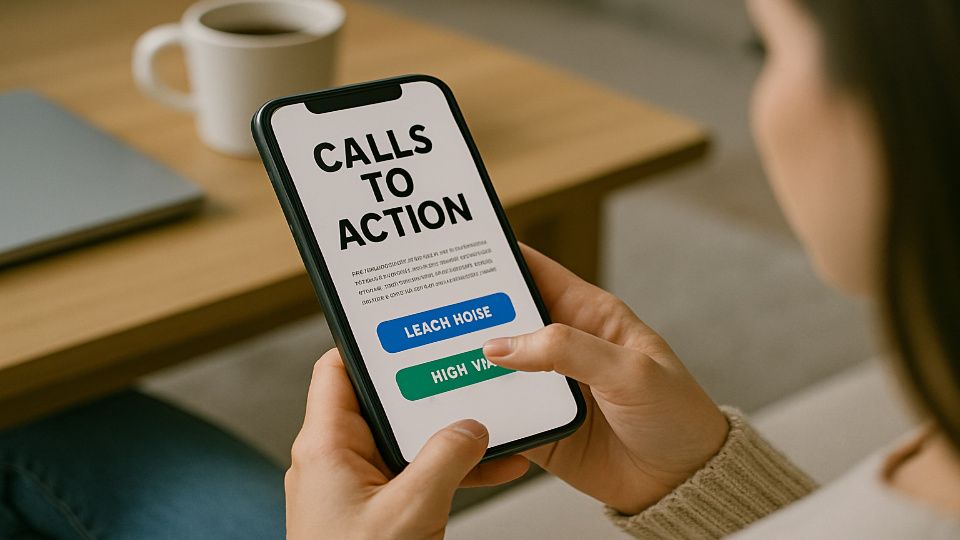
Keep one primary CTA above the fold and repeat it where the reader is ready to act.
Provide a secondary, lower-friction option (e.g., “Learn more” or “Watch demo”) for hesitant visitors.
Quick actions: audit key pages to ensure each has one primary CTA and one secondary CTA; simplify any CTA copy that uses vague words like “Submit.”
👉 Learn more about Call to Action (CTA).
10. Use High-Quality Images and Videos
Visuals accelerate understanding and increase engagement.
Use sharp product photos, context-driven lifestyle images, data visualizations, and short demo videos to show benefits in action.
Keep videos short (30-90 seconds for product demos) and include captions and a written summary for accessibility and SEO.
Optimize media for fast loading (compress files, use appropriate formats, lazy-load below-the-fold).
Always add alt text describing the image’s purpose, not just the file name.
Quick actions: replace any low-res hero image; add captions and alt text for your top 10 images.
11. Be Consistent Across All Channels
Your website is one part of a larger customer journey.
Create a simple brand and voice guide (tone, key phrases, logo use, color palette) and share it with everyone who creates content.
Use consistent headlines, topic categories, and content pillars so a visitor who sees a social post or an email immediately recognizes the connection to your site.
Repurpose long-form content into short social posts and emails with consistent messaging to reinforce your position.
Quick actions: create a one-page brand voice doc and a 30-day repurposing plan for your top 3 articles.
12. Use Data to Inform Your Content
Measure first, guess second. Track page-level metrics (traffic, bounce rate, average time on page, scroll depth), CTA clicks, and conversion rates to learn what works.
Use search query and keyword data to spot content gaps and to match search intent (informational vs. transactional).
Run simple A/B tests on headlines, CTAs, or hero shots to learn iteratively.
Let data prioritize updates: focus on high-traffic pages with low engagement first, they’re the fastest wins.
Quick actions: pick 5 pages that get the most traffic and examine their time-on-page and conversion rate; form a hypothesis and run one test this month.
13. Keep Your Content Fresh and Updated
Content decays, especially statistics, pricing, and product features.
Schedule regular audits (quarterly for blog content, annually for cornerstone pages) to refresh facts, add new examples, and update internal links.
When you update a post substantively, update the publication date (or add a “last updated” note) and re-promote it to your audience.
Consider combining similar thin posts into a single, comprehensive guide to improve SEO and reader value.
Quick actions: set an editorial calendar with review dates; update one high-value post this month with fresh data and a new CTA.
Take a look at more learning opportunities:
👉5 Best Long Form AI Content Generator Tools in 2026
👉12 Best AI Content Writing Tools to Create Quality Content Fast and Easily
👉eCommerce SEO Content Optimization: Proven Strategies to Boost Search Rankings in 2026
👉WordPress SEO 2026: The Ultimate Beginner-to-Advanced Optimization Guide
Frequently Asked Questions (FAQs)
1. How often should I update my website content?
At a minimum, review your core pages (home, about, services, and top blog posts) every 6-12 months. Update stats, refresh examples, and make sure your offers still match what your audience needs. For blogs and SEO-driven content, updating quarterly can help you stay competitive in search.
2. What’s the right length for a web page or blog post?
There’s no one-size-fits-all rule. A homepage should be concise and scannable, while blog posts often perform best at 1,000-2,000 words if they’re detailed and well-structured. The key is value: write enough to fully answer the question or solve the problem without adding fluff.
3. How do I know if my content is actually working?
Use data to measure performance. Track metrics like bounce rate, time on page, click-through rate on CTAs, and conversions. If visitors are staying longer, taking action, or returning for more, your content is doing its job.
4. Can AI-generated content replace human writing?
AI tools can speed up research, drafting, or brainstorming ideas. But raw AI content often lacks the nuance, trust, and emotional connection that come from human experience. The best approach is combining AI efficiency with human editing and storytelling for authenticity.
5. Should I focus more on SEO or user experience?
The two go hand-in-hand. Great SEO helps people find your content, but user experience is what makes them stay and convert. Prioritize clarity, readability, and value; search engines increasingly reward content that people actually enjoy reading.
Conclusion: Content Is Your Long-Term Business Asset
Content isn’t just “something you publish”, it’s the engine that fuels trust, visibility, and sales.
A strong piece of content can keep working for you months (or even years) after it’s published, driving new visitors and nurturing loyal customers.
On the flip side, weak or outdated content quietly drives people away and damages credibility.
The difference comes down to how you treat your content: do you see it as a cost, or as an asset?
When you put your audience first, solving their problems, speaking their language, and showing them why you’re worth their time, your content becomes the best salesperson your business will ever have.
Start small, stay consistent, and keep your customer at the center of every page you publish. The results compound, and in 2026 and beyond, that’s how businesses win online.