
Your WooCommerce store is a powerful engine for your business.
But a powerful engine needs fuel. In the world of eCommerce, that fuel is traffic.
The most profitable and sustainable source of traffic is organic search.
This is why mastering WooCommerce SEO is not just a marketing tactic. It is a fundamental business strategy for 2026.

The opportunity is massive. Organic search drives over 53.3% of all trackable website traffic.
For eCommerce stores, 49% of shoppers begin their journey on a search engine like Google.
A top ranking is incredibly valuable. The first organic result gets an average click-through rate of over 27%.
A well-optimized store does not just get seen. It gets seen by customers who are ready to buy.
This complete guide will provide you with a clear and actionable framework.
We will walk you through the essential steps to optimize your online store. You will learn how to build a strong technical foundation.
You will master product and category page optimization. This is your blueprint for climbing the search rankings and driving more sales.
Key Takeaways
- The Foundation is Key: Learn why your hosting choice and site structure are the most critical first steps for successful WooCommerce SEO.
- Master Product and Category Pages: Discover proven techniques for optimizing your most important pages. This includes writing unique descriptions and using high-quality images.
- Leverage a Powerful SEO Plugin: See why using a plugin like Yoast SEO or Rank Math is essential. It simplifies complex tasks like creating sitemaps and adding schema markup.
- Content is Your Competitive Edge: Understand how a blog and content marketing can attract top-of-funnel customers. It builds authority that boosts your entire store’s rankings.
- Fix Technical SEO Issues: Get a clear guide to solving common WooCommerce problems. This includes duplicate content from product filters and slow site speed.
Why SEO is Your Most Profitable Channel
Paid ads are great for immediate traffic. But you have to pay for every single click. When you stop paying, the traffic stops.
SEO is different. It is an investment in a long-term asset.
A page that ranks high on Google can bring in consistent, qualified traffic for months or even years.

This organic traffic is highly valuable. The visitors are actively searching for your products.
This is why SEO leads have a much higher conversion rate than outbound leads.
The Three Pillars of WooCommerce SEO
Your optimization efforts can be broken down into three core areas.
Technical SEO: This is the foundation. It ensures your store is fast, secure, and easy for search engines to crawl.
On-Page SEO: This involves optimizing the content and HTML of your individual pages. This includes your product pages, category pages, and blog posts.
Off-Page SEO: This refers to actions taken outside your website to build its authority. This is primarily about earning high-quality backlinks from other websites.
1. Build a Solid Technical Foundation
Technical SEO is the first and most important step. Without a strong technical foundation, your other SEO efforts will fail.
Choose High-Performance Hosting
Your web host is critical for speed.
A slow store will not rank well. It will also have a low conversion rate.
Choose a managed WordPress or managed WooCommerce host.
Look for features like LiteSpeed servers and NVMe SSDs. These technologies ensure your store is fast and can handle traffic.
Use a Lightweight SEO-Friendly Theme
Your theme controls your store’s design. It also impacts its speed and SEO.
Avoid bloated themes with too many features you will not use.
Choose a lightweight and well-coded theme like Astra, Kadence, or GeneratePress. Ensure it is fully responsive and mobile-friendly.
Install and Configure an SEO Plugin
A dedicated SEO plugin is a must-have for any WordPress site. It simplifies complex SEO tasks.
- Yoast SEO: The market leader. It is very beginner-friendly and has an excellent WooCommerce SEO add-on.
- Rank Math: A powerful competitor. It offers more features in its free version, including basic WooCommerce SEO.
Once installed, run through the setup wizard. This will configure the basic settings for your store.
2. Master Keyword Research for eCommerce
You need to know what search terms your customers are using. This is the goal of keyword research.
Find Category and Product Keywords
- Category Keywords: These are broader terms for your main product categories. For example, men’s leather wallets. They have higher search volume.
- Product Keywords: These are very specific long-tail terms for your individual products. For example, a brown bifold leather wallet with RFID blocking. They have lower volume but much higher purchase intent.
Use SEO Tools
Use tools like Semrush, Ahrefs, or Google Keyword Planner.
Enter your product ideas to find related keywords, search volume, and difficulty.
You can also analyze your competitors to see what keywords they are ranking for.
3. Optimize Your Product Pages
Your product pages are where the conversions happen. They must be perfectly optimized for both users and search engines.
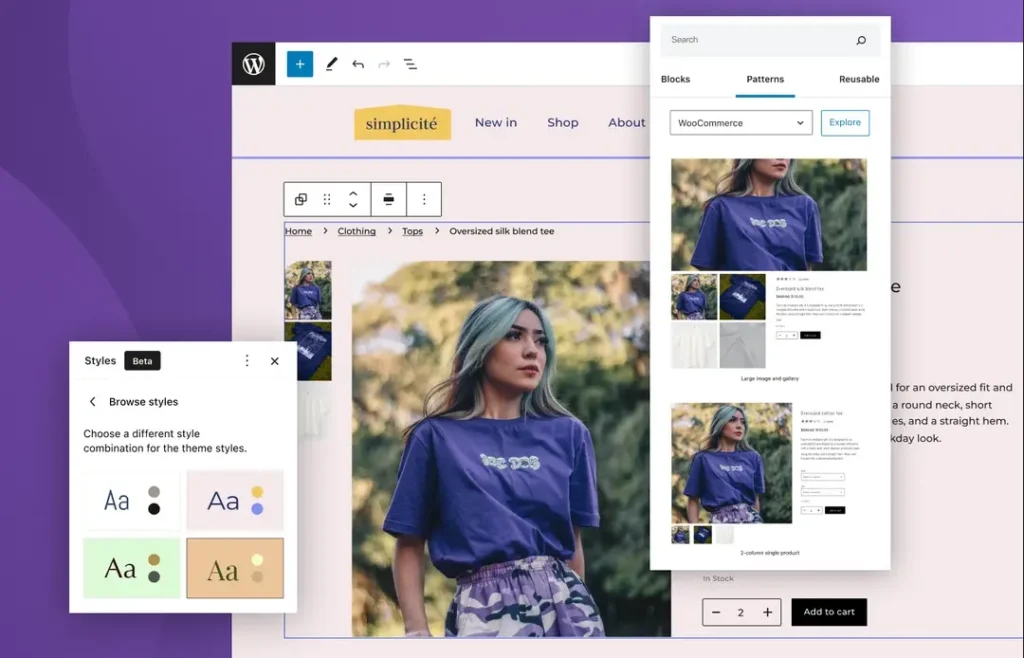
Write Unique and Compelling Product Descriptions
Do not use the generic descriptions from the manufacturer.
This is duplicate content, and it is bad for SEO. Write your own unique, compelling descriptions.
Focus on the benefits of the product, not just its features.
Tell the customer how the product will solve their problem or improve their life.
Optimize Your Product Images
High-quality images are essential for sales. But large images will slow down your site.
- Compress Images: Use a plugin like ShortPixel to compress your images before uploading.
- Use Descriptive Alt Text: Alt text describes an image for search engines and visually impaired users. Write a clear description of the product and include your main keyword.
4. Optimize Your Category Pages
Your category pages are incredibly important for SEO.
They can rank for high-volume keywords.
They are often the main entry point to your store from search engines.
Add Unique Content
A category page should be more than just a grid of products.
Add 200-300 words of unique content at the top or bottom of the page.
Describe the category, offer helpful buying advice, and include your target keywords naturally.
This provides valuable context for Google and helps the page rank.
Ensure Easy Navigation
Your category pages should be easy for users to navigate.
Use clear subcategories, provide robust filtering, and sorting options. For example, allow users to filter by price, brand, and size.
A good user experience keeps visitors on your site longer. This is a positive signal to Google.
5. Implement Product Schema Markup
Schema markup is a code vocabulary that helps search engines understand your content more deeply.
For an eCommerce store, Product Schema is critical.
A good SEO plugin for WooCommerce will add this for you automatically.
The Benefits of Product Schema
Product schema can make your listings eligible for rich snippets in the search results. These are enhanced listings that can show:
- Star ratings from reviews
- Pricing information
- Product availability
- Number of customer reviews
These rich snippets make your listing stand out. They can dramatically increase your click-through rate from the search results.
6. Create a Content Marketing Strategy
A blog is one of the most powerful tools for WooCommerce SEO.
It allows you to attract customers at the top of the sales funnel before they are ready to buy.
Create Helpful Content
Write content that solves your target customer’s problems.
- Buying Guides: How to Choose the Perfect Coffee Grinder
- How-To Posts: A Step-by-Step Guide to Polishing Leather Shoes
- Comparison Posts: Drip Coffee Maker vs French Press: Which is Right for You?
This type of content attracts valuable informational traffic. It establishes your brand as a trusted expert. It also gives you more opportunities to internally link to your product and category pages.
7. Build High-Quality Backlinks
Backlinks are links from other websites to your store. They are one of the most powerful ranking factors.
Strategies for eCommerce Link Building
- Supplier Links: Ask your product manufacturers or suppliers to link to your store from their website.
- Guest Posting: Write helpful articles for reputable blogs in your niche. Include a link back to a relevant category or product page in your store.
- Digital PR: Create a unique data study, an interesting infographic, or a newsworthy story related to your industry. Pitch it to journalists and bloggers.
More useful article for you:
👉Top 7 Essential WooCommerce Security Tips to Keep Your Store Safe
👉10 Effective WooCommerce Marketing Strategies for eCommerce Success
👉WooCommerce vs Shopify: 11 Key Differences Every Store Owner Must Know & Which One Wins in 2026
👉PrestaShop vs WooCommerce in 2026: Ultimate Open-Source Showdown
Frequently Asked Questions (FAQ)
1. Which is the best SEO plugin for WooCommerce?
Both Yoast SEO and Rank Math offer excellent premium versions specifically for WooCommerce. Yoast WooCommerce SEO is a very popular and reliable choice. Rank Math offers a great feature set and is often considered a better value. Both are fantastic options.
2. How do I fix duplicate content issues from product filters?
A good SEO plugin will help you with this. It will automatically add canonical tags to your filtered pages. This tells Google that the main category page is the primary version that should be indexed. This prevents the filtered URLs from being seen as duplicate content.
3. Is WooCommerce good for SEO?
Yes, WooCommerce is excellent for SEO. Because it is built on WordPress, it inherits the world’s most powerful content management and SEO capabilities. It offers unparalleled flexibility and control over every aspect of your on-page and technical SEO.
4. How long does it take to see SEO results for a new store?
SEO is a long-term strategy. For a brand new store, it typically takes 4 to 6 months of consistent effort to start seeing significant traction in organic search rankings and traffic. Technical and on-page fixes can show results faster, but content and link building take time.
Conclusion: Building a Foundation for Long-Term Growth
Mastering WooCommerce SEO is a journey. It requires a commitment to both technical excellence and creating valuable content.
It is not about finding secret tricks. It is about building a user-friendly store.
It is about providing helpful information. And it is about earning authority in your niche.
By following this guide, you can systematically optimize your online store.
You will build a powerful foundation that attracts qualified customers. You will increase your visibility in search engines.
And you will create a sustainable and profitable channel for growth that will serve your business for years to come.