
In the digitally integrated world of 2026, the humble QR code has evolved from a niche novelty into an essential marketing and communication tool.
These pixelated squares are everywhere, seamlessly bridging the gap between our physical surroundings and our digital lives.
QR code stickers, in particular, have become a powerful, low-cost way for businesses to engage with customers, share information, and drive traffic.

The resurgence of QR codes is backed by incredible user adoption. Global QR code payments are projected to exceed $3 trillion this year, and it’s estimated that over 1 billion smartphone users will access QR codes in 2026.
Furthermore, data shows that QR code scans have been growing by over 35% year-over-year, proving their increasing relevance.
For businesses, this translates into a massive opportunity. A well-placed QR code sticker can turn a product package, a coffee cup, or a storefront window into an interactive digital touchpoint.
This comprehensive guide will walk you through the entire process of how to create and using QR code stickers.
We’ll cover everything from generating your code and designing your sticker for maximum impact to practical, real-world strategies for using them to grow your business.
Key Takeaways
- The Power of the Physical-to-Digital Bridge: Understand why QR code stickers are an incredibly effective, low-cost tool for driving offline audiences to your online content, from websites and social media to special promotions.
- A Simple Step-by-Step Creation Process: Get a clear, easy-to-follow guide on the four main steps: defining your goal, generating your QR code, designing an effective sticker, and printing your final product.
- Why Design Matters: Learn how adding a clear call-to-action (CTA), your brand’s logo, and the right colors to your sticker can dramatically increase the number of scans it receives.
- Creative Use Cases for Any Business: Explore innovative ideas for using QR code stickers on product packaging, marketing materials, at events, and in physical retail locations to engage customers.
- Tracking Your Success: Discover the importance of using dynamic QR codes, which allow you to track scan data and even change the destination link after the sticker has been printed.
What Are QR Code Stickers and Why Are They So Powerful?
A QR code sticker is simply a scannable QR code printed on an adhesive label. Its power lies in its ability to provide an instant, low-friction connection between a physical object and a digital experience.
Instead of a customer having to manually type a long URL or search for a social media handle, they can simply point their smartphone camera at the sticker and be taken directly to their destination.
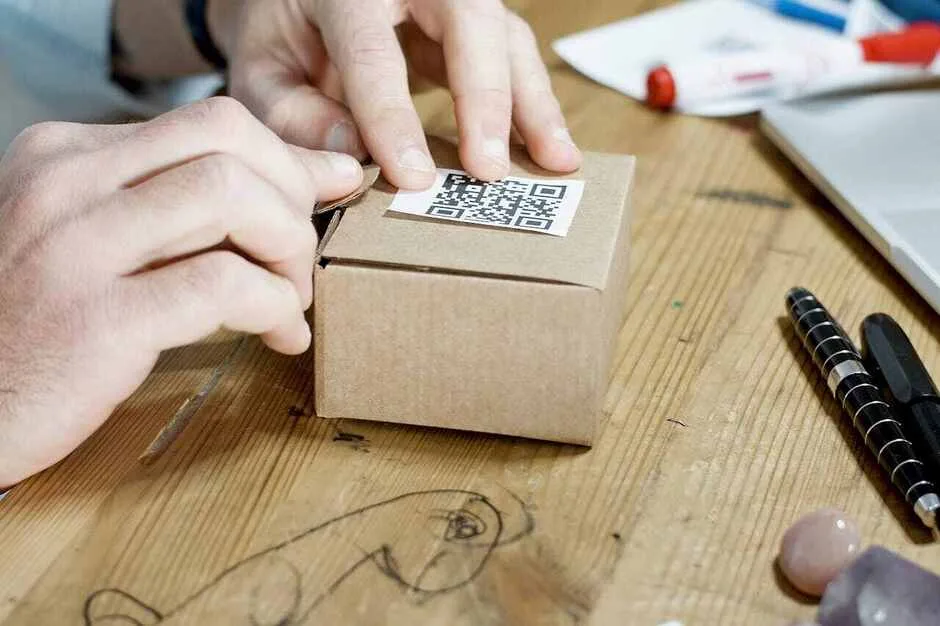
For businesses, this is a game-changer. It allows you to:
- Drive Website Traffic: Place a sticker on your product packaging that links to a setup guide or a related product page.
- Grow Social Media Following: Put a sticker on your shop window that links directly to your Instagram or TikTok profile.
- Collect Customer Feedback: Add a sticker to a receipt that links to a customer satisfaction survey.
- Offer Exclusive Content: Use a sticker to give customers access to a special discount, a secret menu, or a how-to video.
Before You Begin: Defining Your Goal
The most important step happens before you ever generate a code. You must decide what you want people to do when they scan your sticker.
Your goal will determine what kind of QR code you create. Do you want them to:
- Visit your website homepage?
- Follow you on TikTok?
- View a restaurant menu?
- Download an app?
- Watch a video tutorial?
- Sign up for your email newsletter?
- Get a special discount?
Having a clear and specific goal is the foundation of an effective QR code sticker campaign.
How to Create Your QR Code Stickers: A Step-by-Step Guide
The process can be broken down into four simple, manageable steps.
Step 1: Generate Your QR Code with TLinky
First, you need to create the QR code itself. For this, we recommend using a reliable and feature-rich tool like TLinky QR Code Generator. A good generator allows you to create Dynamic QR Codes, which are essential for any serious business use.
Why Use a Dynamic QR Code?
- It’s Editable: You can change the destination URL of a dynamic QR code at any time, even after your stickers have been printed and distributed. This is incredibly valuable if a link changes or if you want to update a promotion.
- It’s Trackable: Dynamic QR codes allow you to track valuable analytics, such as the total number of scans, the location of the scans, and the time of day they were scanned. This data is crucial for measuring the success of your campaign.
Creating your QR code with TLinky:
Go to the TLinky QR Code Generator website.
Select the QR Code Type: Choose the type of content you want to link to (e.g., Text, URL, Social Media, PDF, etc.).
Enter Your Destination Link: Paste the URL you want people to visit when they scan your code.
Customize Your QR Code: TLinky allows you to change the colors, add your logo, and choose a different shape to make your QR code match your brand. This is a key step for increasing scan rates.
Generate and Download: Generate your dynamic QR code and download it as a high-resolution image file (SVG or PNG is best for printing).
Step 2: Design Your Sticker for Maximum Impact
A QR code floating alone on a white sticker is a missed opportunity. Your sticker design should provide context and encourage people to scan it.

Ready to turn heads with your marketing? 🎯 Check out our expert guide and discover creative ways to advertise using QR codes!
Best Practices for Sticker Design
Include a Clear Call-to-Action (CTA): This is the most important element. Tell people why they should scan the code. Use clear, action-oriented CTA text like “Scan for 15% Off,” “Watch the Tutorial,” “Follow Us on Instagram,” or “View Our Menu.”
Add Your Brand Logo and Colors: Incorporate your logo and brand colors to make the sticker instantly recognizable and build trust.
Keep it Simple and Uncluttered: Ensure there is enough quiet zone or white space around the QR code itself so that it can be easily scanned. Don’t crowd it with too much text or too many design elements.
Use a Contrasting Color: The QR code itself should have a high contrast with its background (a dark code on a light background is best). Avoid light-colored QR codes on light backgrounds.
Step 3: Print Your QR Code Stickers
Once your design is ready, you have two main options for printing.
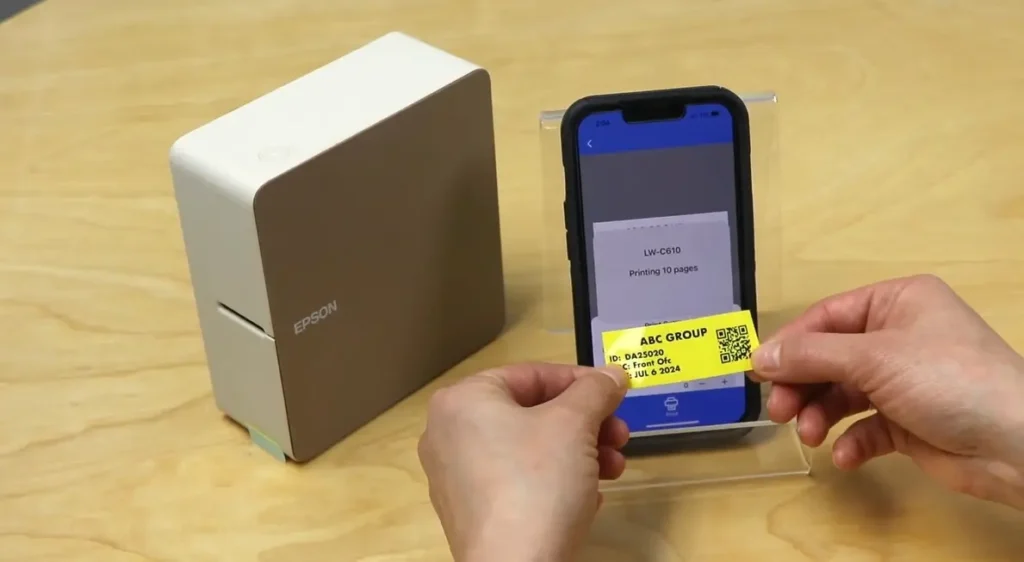
Option A: Print at Home
For small batches or testing purposes, you can easily print your QR code stickers at home.
- Buy Adhesive Sticker Paper: Purchase full-sheet or pre-cut sticker paper (like Avery labels) that is compatible with your home printer (inkjet or laser).
- Arrange Your Design: Use a program like Microsoft Word, Google Docs, or a design tool like Canva to arrange your sticker design to match the layout of your label sheet.
- Print a Test Sheet: Always print a test on a regular piece of paper first to ensure the alignment is correct.
- Test the QR Code: After printing, use your phone to scan one of the stickers to make sure it works perfectly before you print the full batch.
Option B: Use a Professional Printing Service
For high-quality, durable, and professional-looking stickers, using an online printing service is the best choice. Companies like Sticker Mule, Vistaprint, or StickerApp specialize in custom sticker printing.
- Choose Your Sticker Type: Select the material (e.g., vinyl for durability), shape, and size.
- Upload Your Design: Upload the high-resolution design file you created in Step 2.
- Proof and Order: The service will provide a digital proof for you to approve. Once you approve it, they will print and ship your professional-quality stickers to you.
Step 4: Use Your QR Code Stickers Effectively
Now for the fun part! Here are some creative and effective ways to use your new stickers:
Creative Use Cases for QR Code Stickers
On Product Packaging: Link to a “how-to” video, a re-order page, or a form to register the product warranty.
On Takeout Bags and Coffee Cups: Link to your online menu, a loyalty program, or a special offer for their next visit.
At Events and Trade Shows: Place stickers on your booth or on freebies that link to your website or a sign-up form for a giveaway.
In Your Physical Store: Use stickers on shelves to link to product reviews or on your front door to link to your social media profiles.
On Marketing Materials: Add a sticker to your business cards, flyers, or brochures that links to your online portfolio or a special landing page.
Here’s another resource worth checking out:
👉How to Make a QR Code for Google Form (Step-by-Step Guide 2026)
👉 Transparent QR Codes (2026): What They Are & How to Create One Easily
👉Webflow vs Shopify: Which One is Best for eCommerce?
Frequently Asked Questions (FAQ)
What is the best size for a QR code sticker?
The minimum recommended size for a QR code to be easily scannable is about 1 inch by 1 inch (2.5 cm x 2.5 cm). However, the ideal size depends on the scanning distance. For a product package that will be viewed up close, 1 inch is fine. For a poster that will be scanned from a few feet away, it will need to be much larger.
Can I put a QR code on any color background?
It’s all about contrast. A dark QR code on a light background is the most reliable combination for scanning. Avoid putting a QR code on a very busy or patterned background, as this can confuse smartphone cameras. If you must use a dark background, the QR code itself should be a very light color.
Do QR codes expire?
Static QR codes, which link directly to a URL, never expire as long as the destination link is still active. Dynamic QR codes, which are recommended, are tied to the service you used to create them (like TLinky). As long as your subscription with that service is active, the code will continue to work and remain editable.
How can I see how many people have scanned my QR code?
You can only track scans if you use a dynamic QR code. A platform like TLinky QR Code Generator provides an analytics dashboard where you can see the total number of scans, the times and dates of the scans, and often even the geographic location and device type used.
Conclusion: A Powerful Tool for a Connected World
Creating and using QR code stickers is a simple, affordable, and incredibly effective way to connect your physical business with your digital presence.
By following this step-by-step guide, you can move beyond a simple black-and-white square and create a branded, strategic marketing tool.
By defining a clear goal, using a dynamic QR code generator like TLinky for trackable and editable codes, and designing your sticker with a clear call-to-action, you can turn any surface into an interactive opportunity to engage with your customers and grow your business in 2026.