
Skyboot Related Posts
Turn Related Posts Into a Real SEO Advantage
It analyzes your WordPress content, finds the posts that are genuinely related, and surfaces them as recommendations automatically.
Discover stronger content relationships, surface overlooked posts, improve topical coverage, and help readers find what they should read next.
Everything Included
One license, the full feature set
Everything below ships the moment you buy, no free tier, no separate add-ons to chase down.
Pricing
Simple pricing, sized to how many sites you run
Billed yearly. Cancel anytime.
1 Website
Get started with one site
$49/yr
BEST VALUE
5 Websites
Built for freelancers and small agencies
$99/yr
Unlimited Websites
Every site you’ll ever build
$199/yr
Our Promise
Try it risk-free with our 100% money-back guarantee
We’re confident you’ll love it. Use it for a full 30 days, and if it’s not the right fit, tell us, and we’ll refund every cent. No forms, no fine print, no questions asked.
Full refund, no questions ● 30 full days to decide ● Cancel in one email

Shaddam Hossain
Founder, SkyBootstrap
Full Feature List
Every license includes the full feature set below, nothing is held back by tier.
| Feature | Included |
|---|---|
| Semantic similarity matching | ✓ |
| Adjustable similarity threshold | ✓ |
| Title weighting | ✓ |
| Common-word filtering | ✓ |
| Automatic placement | ✓ |
| Gutenberg block | ✓ |
| Post type selection | ✓ |
| Exclude specific posts | ✓ |
| Automatic reindexing | ✓ |
| Manual index rebuild | ✓ |
| Orphan post detection | ✓ |
| Weak topical coverage detection | ✓ |
| Keyword cannibalization detection | ✓ |
| Step-by-step fix-it guidance | ✓ |
| Related-post click tracking | ✓ |
| 30-day click analytics | ✓ |
| Top topical hub posts | ✓ |
| 4 design layouts | ✓ |
| Custom heading & subheading | ✓ |
| Featured images & excerpts | ✓ |
| Accent & hover colors | ✓ |
| Responsive columns | ✓ |
| Smart previous/next navigation | ✓ |
| SEO-safe crawlable output | ✓ |
| No automatic SEO meta changes | ✓ |
Features
A closer look at what’s included in every license.
Semantic Matching
Finds related content by what it’s actually about, not just shared categories or tags.
Automated Placement
elated posts appear at the end of every article automatically, no manual work per post.
Manual Placement
Use the Gutenberg block or a shortcode to place related posts exactly where you want instead.
Orphan Detection
Finds posts with no meaningful related-content matches at all, before they hurt your rankings.
Cannibalization Detection
Flags posts competing against each other in search, with step-by-step guidance to resolve each one.
Click Analytics
See which related-post links actually get clicked, and which posts are your strongest hubs.
Design System
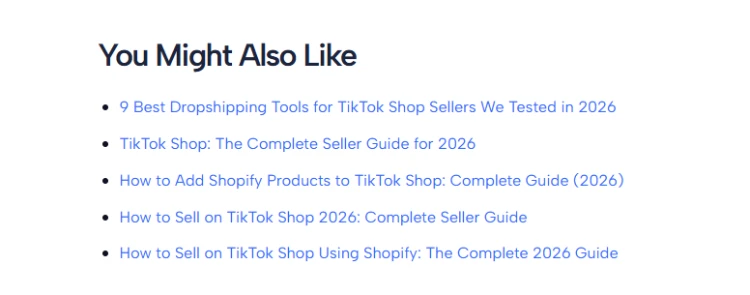
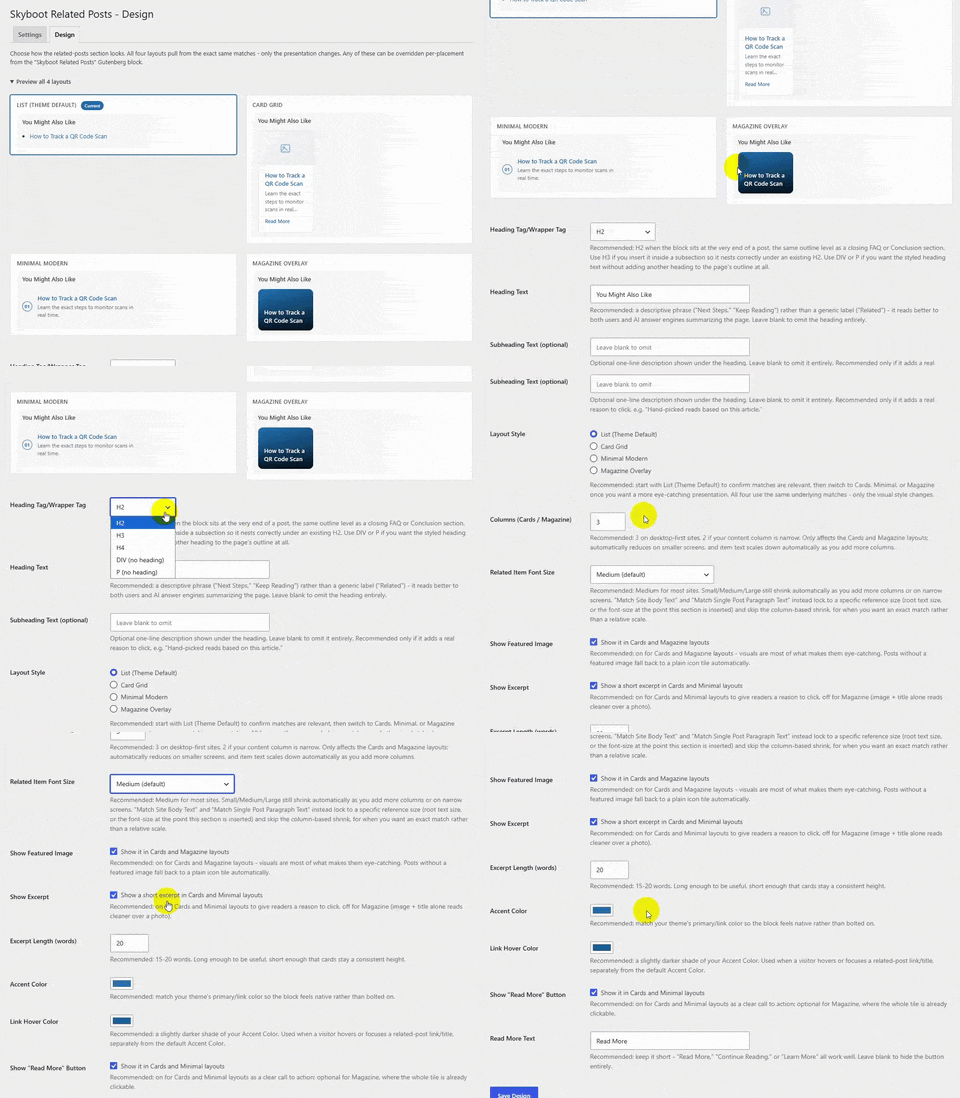
List, Card Grid, Minimal Modern, or Magazine Overlay, all using the same underlying matches.
Smart Navigation
Replace default previous/next links with the two closest topical matches, or hide them entirely.
Stronger Related Posts, Without the Guesswork
See how it finds real connections between your posts, catches the problems hurting your rankings, and shows you what’s actually working.
Semantic Related Posts
Find posts that actually belong together, not just ones sharing a category.
Every match is based on what the content really says. Titles carry extra weight, since they signal what a post is really about.
If matches feel too loose or too strict, adjust the similarity threshold from Settings, then rebuild the index to see the change take effect across your posts.
Orphan, Weak, and Cannibalized Content
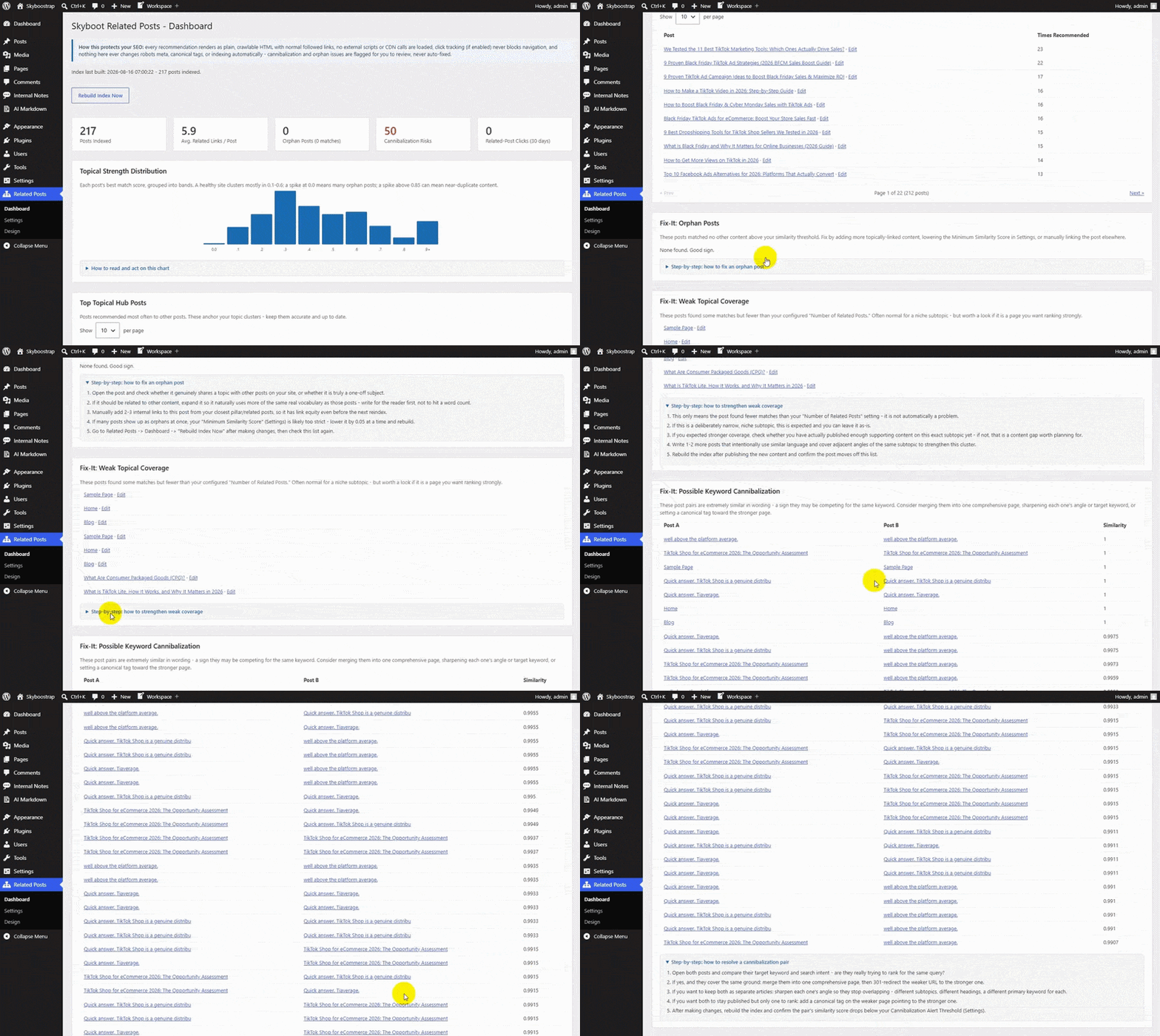
Some posts have no related matches at all. Some barely have any. Some are so similar to each other they’re quietly competing in search.
This finds all three automatically, and doesn’t just flag them.
Cannibalization gets similarity scores to investigate, weak coverage gets flagged for more supporting content, and orphan posts get surfaced so nothing sits disconnected from the rest of your site.
Click Analytics
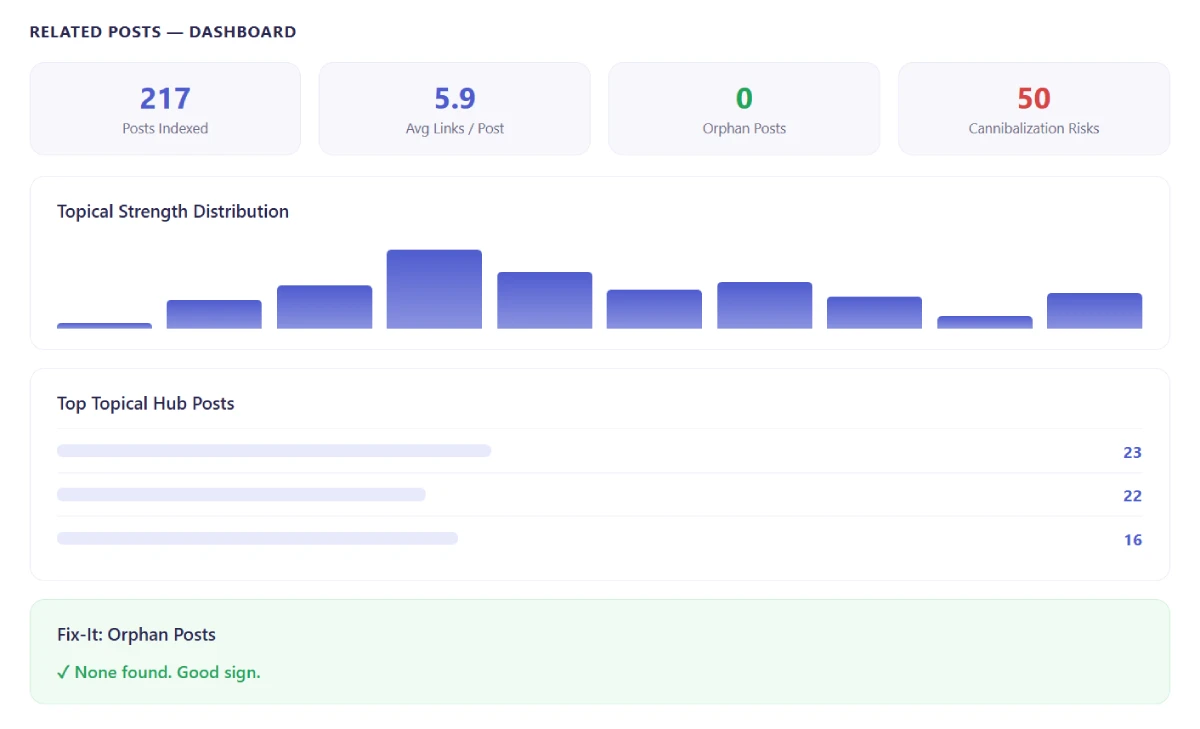
Recommending related posts is only half the job. Knowing if anyone clicks them is the other half.
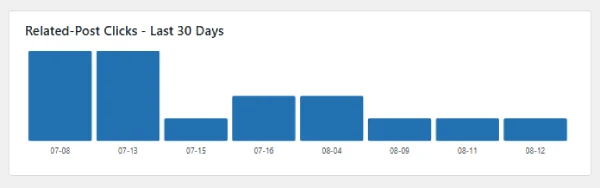
See related-post clicks over the last 30 days, your most-clicked related posts, and which articles function as your strongest topical hubs, recommended most often across your whole site.
A Design System, Not Just a Widget
Pick your post types, Posts, Pages, Media, or everything with one click of Select All.
Filter by type, status, category, or date, then choose individual files or one combined document.
Larger libraries process in batches, so a big export doesn’t stall or time out.
Content & Index Management
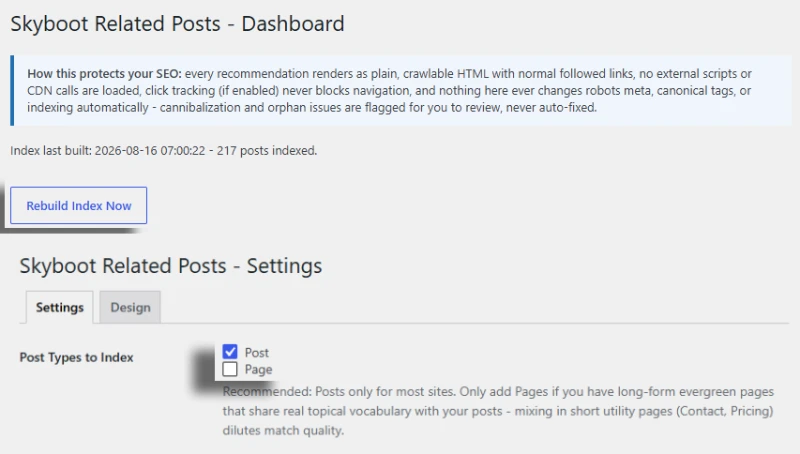
Choose exactly which post types participate. Exclude specific posts, legal pages, landing pages, anything that shouldn’t influence matching.
The index rebuilds automatically on a schedule and after content changes, or trigger a manual rebuild whenever you make major changes.
The dashboard shows what’s indexed, when it was last built, and which posts still lack matches.
How It Works
From Content to Connections.
01 – Index
The WordPress content types you choose get analyzed.
02 – Match
Content similarity is calculated, and related posts are found.
03 – Recommend
Related posts appear inside your content automatically.
04 – Refine
The dashboard flags orphan posts and overlapping content as your site grows.
Your Best Content Shouldn’t Sit Alone
Find the posts that actually belong together, fix the ones nobody’s linking to, and stop losing rankings to pages competing against themselves.
Common Questions
What does this plugin actually do?
Finds the posts on your site that are genuinely related, not just tagged the same, and links them together automatically. It also flags pages that have no connections at all, or ones competing against each other in search.
Can I control how many related posts show up?
Yes, set it to whatever number fits your layout.
What does it actually look like on my site?
Your pick of four layouts: List, Card Grid, Minimal Modern, or Magazine Overlay. Same matches underneath, different presentation.
Will it tell me if a post has no related content?
Yes. Any post sitting alone with no real matches gets flagged.
Can I see if anyone’s actually clicking the recommendations?
Yes, real click data, not just a guess.
Does it just use my categories and tags?
No. It reads what the content actually says, not how it’s labeled.
Do I have to let it place related posts automatically?
No. Drop the block or shortcode in yourself if you’d rather choose the spot.
Can I match it to my site’s design?
Yes, colors, heading, images, excerpts, all adjustable, no CSS required.
Can it catch pages competing against each other in search?
Yes. It flags posts that are suspiciously similar so you can decide what to do about it.
Will it touch my SEO settings behind my back?
No, never. It recommends, it doesn’t rewrite your robots meta or canonical tags.