
A WordPress 500 internal server error means the server failed while building the page, and the error log says exactly why. On Apache, if the page is a plain “Internal Server Error” from the server, rename .htaccess and save your permalinks to rebuild it. If WordPress’s own error box appears, switch off the plugin or theme the log names.
We produced these 500s across two test copies of WordPress 7.1.3, an Apache 2.4.58 copy and an nginx 1.24.0 copy, and noted what each one looked like and logged.
Which 500 page are you seeing?
A 500 Internal Server Error is the status a server sends when something unexpected stops it from answering. The standard behind HTTP, RFC 9110, calls it an “unexpected condition that prevented it from fulfilling the request”. On a WordPress site, the page you see tells you which part failed.
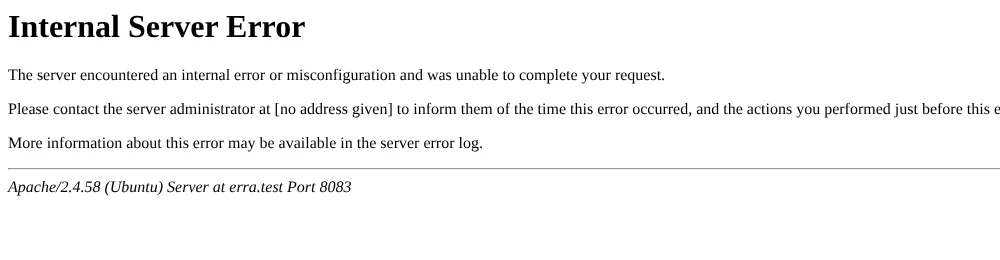
A plain page like this one comes from the web server itself, before WordPress runs:
| What you see | Status | Where the problem is | What it was in our tests |
|---|---|---|---|
| “Internal Server Error … misconfiguration” (server page) | 500 | Server setting or .htaccess | A misspelled directive; a php_value line |
| “There has been a critical error on this website” (WordPress box) | 500 | PHP code | A broken plugin; a damaged core file; running out of memory |
| A blank page | 500, empty | PHP code with WordPress’s error handler off | A broken plugin |
If you see WordPress’s box, our critical error guide walks through recovery mode. A blank 500 is covered in the white screen guide. The rest of this page focuses on finding and fixing the cause.
Read the error log first
The error log names the file and the line that broke, which saves guessing. An error log is the file where the web server and PHP record each failure with its time. Look for an “Error log” or “Logs” page in your hosting panel; on an Ubuntu server like ours, Apache writes to /var/log/apache2/ and nginx to /var/log/nginx/, where our nginx site’s PHP fatal errors also appeared.
This is the line our Apache server logged for the 500 above (timestamp and process ID trimmed):
[core:alert] /srv/erra/.htaccess: Invalid command 'RewriteEngin', perhaps misspelled or defined by a module not included in the server configurationIt names the file (.htaccess) and the word Apache didn’t understand (RewriteEngin, a typo for RewriteEngine). For a PHP error, the line contains “PHP Fatal error” or “PHP Parse error” and names a PHP file and line number instead. Apache’s page also ends with a server line such as “Apache/2.4.58 (Ubuntu) Server at…”, which is how you know it came from Apache.
If your host doesn’t show a log, WordPress’s own debug log can catch PHP errors, but not .htaccess problems, because WordPress hasn’t started yet. Switching it on safely, with the log kept private, is part of our WordPress errors guide.
Fix a broken .htaccess on Apache
Rename .htaccess; if the 500 goes away, rebuild it by saving Settings > Permalinks, then add back any custom rules one at a time. The WordPress handbook calls a corrupted .htaccess “the most likely issue” behind an internal server error.
.htaccess is a settings file Apache reads in each folder; WordPress keeps its address rules there. It sits in your site’s main folder and is hidden by default, so turn on “show hidden files” in your host’s file manager. nginx servers don’t use it at all.
- Download a copy of
.htaccess, so you can recover any custom rules later. - Rename it to
.htaccess_old. On our site the home page loaded again straight away. If the 500 is still there, rename.htaccess_oldback to.htaccessand go to the PHP section below, because the cause isn’t in this file. - Open a post. Ours returned 404 at this point, because the address rules were gone; that’s expected.
- In wp-admin, open Settings > Permalinks and press Save Changes, leaving every option as it is.
- Reload the post. Then copy any non-WordPress rules (redirects, security rules) back from your saved copy, above
# BEGIN WordPress, one block at a time, testing after each; lines between the WordPress markers get overwritten.
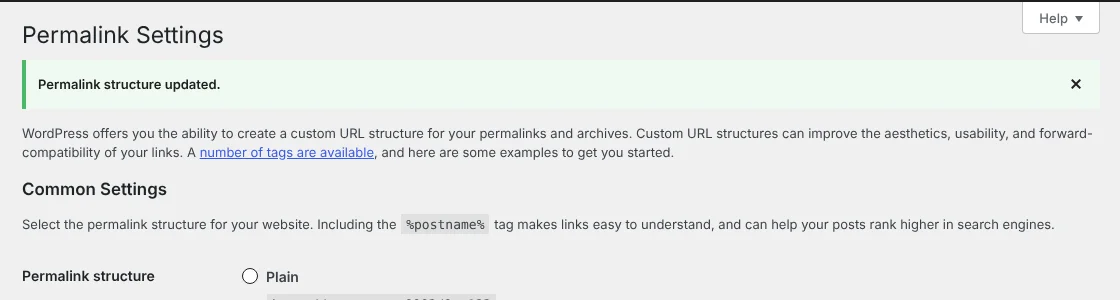
This is the block WordPress 7.1.3 wrote on our Apache site, a single site at the domain root (subfolder and multisite installs differ, so let WordPress write yours):
# BEGIN WordPress
# The directives (lines) between "BEGIN WordPress" and "END WordPress" are
# dynamically generated, and should only be modified via WordPress filters.
# Any changes to the directives between these markers will be overwritten.
<IfModule mod_rewrite.c>
RewriteEngine On
RewriteRule .* - [E=HTTP_AUTHORIZATION:%{HTTP:Authorization}]
RewriteBase /
RewriteRule ^index\.php$ - [L]
RewriteCond %{REQUEST_FILENAME} !-f
RewriteCond %{REQUEST_FILENAME} !-d
RewriteRule . /index.php [L]
</IfModule>

# END WordPress
The sample on the handbook’s common-errors page lacks the HTTP_AUTHORIZATION line, while its .htaccess page matches what WordPress wrote; prefer the version WordPress writes for you.
Apache runs these rules through mod_rewrite, its module for rewriting requested addresses. If saving permalinks doesn’t fix the 404s, ask your host to confirm it’s enabled. If WordPress can’t write the file, the 404 posts guide shows what to do. File permissions show up differently: an unreadable index.php gave us a 403, not a 500, and our file permissions guide covers the settings.
One line to watch for: php_value, a way to change PHP settings from .htaccess. If your log shows “Invalid command ‘php_value’”, your server can’t read that line.
On our Apache server, where PHP ran as PHP-FPM (a separate PHP service, explained below), one php_value memory_limit 256M line made every page return 500. Delete that line, or comment it out with #, keeping your downloaded copy. We didn’t test php_flag or other server types.
Fix PHP errors behind a 500
When WordPress’s critical error box appears, or the log names a PHP file, the fix depends on where that file lives:
- In
wp-content/pluginsorwp-content/themes: switch that plugin or theme off by renaming its folder in the file manager, or use the recovery email. A plugin calling a missing function gave us the box and a 500. A plugin renamed back later stays inactive, so reactivate it. For themes, prefer switching in wp-admin or recovery mode: with the active theme folder renamed, our front page went blank until someone loaded the dashboard. - Old code on a newer PHP version: our test plugin called
create_function(), a function dropped in PHP 8.0, and PHP 8.3 answered with a 500. Update or replace the plugin; your host’s panel shows the PHP version. - “Allowed memory size … exhausted”: PHP ran out of memory. Our 150 MB test task failed at a 128 MB limit; the memory error guide covers raising it.
- In
wp-adminorwp-includes, with no plugin or theme mentioned: a core file may be damaged. A syntax error we added towp-includes/formatting.phpgave a 500 on the front page and in wp-admin, and replacing the file with a clean copy fixed it. The handbook suggests re-uploading thewp-adminandwp-includesfolders from a fresh download of your WordPress version.
The handbook also lists switching to a default theme and checking plugins one by one. Copy any folder before you rename or replace it, so you can roll back.
WordPress 500 internal server error on nginx
On nginx, the .htaccess fix doesn’t apply: nginx never reads that file, and saving permalinks on our nginx site changed nothing about how it served pages. PHP-FPM is the separate service that runs WordPress’s PHP code behind nginx. When we stopped it, nginx returned 502 Bad Gateway, not 500. PHP fatal errors still produced WordPress’s 500 box on Nginx, so the plugin and theme steps above work the same way.
When to hand it to your host
Contact your host if the error log is empty or you can’t reach it, if the 500 started right after a server or PHP change, or if no file you can edit is named. Send them the time the error started, the address that fails, and any log line you found. On our nginx site, a stopped PHP service showed up only in the server’s own log, which only the host or a server admin can read.
Frequently Asked Questions
Does a 500 error hurt my SEO?
We didn’t measure ranking effects. A 500 means search engines and visitors get no page, so fix it as fast as you can and check that the affected pages return 200 again afterwards.
Why does only wp-admin give a 500 error?
In our test, code that failed only in the dashboard gave a 500 in wp-admin while the front page stayed 200. WordPress may email a recovery link for plugin and theme errors, but in our test it sent at most one a day, even when the screen said to check the inbox. If none arrives, use the log line to find the plugin.
Can I add php_value to .htaccess to raise PHP limits?
Not on every server. On ours, where PHP ran as PHP-FPM, one php_value line made every page return 500. A .user.ini file in the site’s main folder raised the memory limit there instead; we reloaded PHP, otherwise it rereads the file within 300 seconds on our server.
How we tested
Two test sites, set up on 2 November 2026, gave us both kinds of 500 error. One ran WordPress 7.1.3 behind Apache 2.4.58 with mod_rewrite, the other behind nginx 1.24.0, both on PHP-FPM 8.3 with MariaDB 10.11.
On Apache, we broke .htaccess with a misspelled directive and a php_value line, then rebuilt it from Settings > Permalinks and copied the file WordPress wrote. The PHP-side errors came from a test plugin calling a missing function, a 150 MB memory test against a 128 MB limit, and a syntax error in one core file. Each was undone afterwards. The log lines quoted above are from the servers’ own error logs.