---
title: How to Serve Markdown to AI Agents from WordPress
description: "Serve Markdown to AI agents from WordPress: the Accept header, .md URLs and ?format=md, which agents really ask, and a tested plugin you can copy."
url: "https://skybootstrap.com/serve-markdown-to-ai-agents/"
canonical_url: "https://skybootstrap.com/serve-markdown-to-ai-agents/"
date: "2026-10-28T03:59:00+06:00"
modified: "2026-10-27T16:24:12+06:00"
author: Skybootstrap Team
type: article
site: SkyBootstrap
language: en-US
---
# How to Serve Markdown to AI Agents from WordPress
To serve Markdown to AI agents, return a Markdown version of a page when the request asks for one: with an `Accept: text/markdown` header, a `.md` URL or a `?format=md` query string. The header method, called content negotiation, is the standard one and the one Claude Code, Cursor, and OpenCode use.
Be clear about who benefits. In published tests and server logs, coding agents and some crawlers take the Markdown. ChatGPT, the Claude web app, and Perplexity, answering people’s questions, still read your HTML.
WordPress does none of this out of the box. On our WordPress 7.1.3 test site, an `Accept: text/markdown` request and `?format=md` both returned the normal HTML page, and `/post-name.md` returned a 404. Below are the three methods, who uses them, and a tested way to add them. If you’re setting up llms.txt as well, start with our [guide to llms.txt on WordPress](https://skybootstrap.com/llms-txt-wordpress/).
## Content negotiation and the other two ways to ask for Markdown
An agent can ask for Markdown with an `Accept: text/markdown` header on the normal URL, by adding `.md` to the URL, or with a `?format=md` query string. The Accept header is the request header where a client lists the formats it wants, in order of preference.
Content negotiation is answering that header on the same URL: one address, two formats, chosen by what the client asks for.
| Method | What the request looks like | Who uses it |
| --- | --- | --- |
| Accept header | `GET /my-post/` with `Accept: text/markdown` | Coding agents that negotiate (Claude Code, Cursor, OpenCode) |
| `.md` URL | `GET /my-post.md` | Agents and crawlers that follow a published link to it |
| Query string | `GET /my-post/?format=md` | Tools you control; the easiest to test in a browser |
A `.md` URL is the page address with `.md` added, which is the form the llms.txt proposal recommends for Markdown copies of pages. A successful negotiated response looks like this:
```
HTTP/1.1 200 OK
Content-Type: text/markdown; charset=utf-8
Vary: Accept
X-Robots-Tag: noindex
```
Support the header first, add `.md` for agents that only follow links, and keep `?format=md` as a convenience. The `.md` and `?format=md` versions have their own URLs, so caches keep them apart without extra headers. Only the Accept method shares a URL with the HTML page.
## Which agents ask for Markdown
Coding agents such as Claude Code, Cursor, and OpenCode ask for Markdown first, while consumer chat assistants like ChatGPT, the Claude web app, and Perplexity still fetch the HTML page. An AI agent here means any tool that fetches web pages for a person, from a coding assistant reading API docs to a chatbot.
[Checkly tested](https://www.checklyhq.com/blog/state-of-ai-agent-content-negotation/) the web-fetch tools of seven coding agents in February 2026. Claude Code 2.1.38 sent `text/markdown, text/html, */*`, and Cursor 2.4.28 and OpenCode 1.2.5 also ranked Markdown first. OpenAI Codex, Gemini CLI, GitHub Copilot, and Windsurf did not ask for it.
[GoodBarber’s server logs](https://www.goodbarber.com/blog/do-ai-agents-read-markdown-what-two-weeks-of-our-own-server-logs-say-a1622/) from September 2026 show where one site’s requests came from over two weeks:
- About 80,000 requests went to its `.md` links, roughly half from Amazon, Meta and OpenAI crawlers. Googlebot made none.
- About 22,000 asked through the Accept header, mostly from ShapBot, ExaSearchBot and Claude Code (around 1,400 requests).
Everyday chat assistants behaved differently. ChatGPT, the Claude web app and Perplexity fetched HTML more than 13,000 times between them and asked for Markdown once.
So Markdown pays off for documentation, reference pages and anything developers point their agents at. Pages are also far smaller in Markdown (GoodBarber measured about 80% less), which our [HTML vs Markdown token test on WordPress pages](https://skybootstrap.com/html-to-markdown-for-llm/) covers in detail.
## Tell agents a Markdown version exists
Add a `rel="alternate"` link with `type="text/markdown"`, in the page head or as an HTTP `Link` header, so agents that don’t send the Accept header can still find the Markdown version. A `rel="alternate"` link is a standard way for a page to say “the same content is also available here, in this format”. The llms.txt proposal recommends exactly this:
```
```
The header form works too and needs no theme changes:
```
Link: ; rel="alternate"; type="text/markdown"
```
Plugins that serve Markdown can add both for you. [Ours](https://skybootstrap.com/skyboot-ai-markdown/) puts the `rel="alternate"` tag in each HTML page’s head and sends the matching `Link` header, which you can switch off under **Settings → Enable HTTP Link Headers**. It leaves both out of 404 and search pages ([our documentation](https://skybootstrap.com/docs/skyboot-ai-markdown/llms-txt-and-markdown/)).
Crawlers follow links you publish, which is why GoodBarber saw so many `.md` requests from crawlers that didn’t send the Accept header. Your llms.txt can point to the same `.md` URLs; how to write those entries is in our [annotated llms.txt examples](https://skybootstrap.com/llms-txt-example/).
## Keep HTML as the page search engines index
Send `Vary: Accept` on pages that can return both formats, mark Markdown responses `noindex`, and never switch formats by user agent, so browsers and Google keep getting HTML. The Vary header tells caches that the response depends on a request header. A cache then stores the HTML and Markdown versions separately instead of handing one to everyone.
- Send `Vary: Accept` on every page that can answer with Markdown, including HTML responses. Without it, a page cache can serve a stored Markdown copy to your visitors. Not every page cache honours `Vary`, so our `serve-markdown.php` mu-plugin also tells them not to store Markdown responses. Making LiteSpeed, nginx and Cloudflare respect it is covered in [fixing caches that serve AI bots the wrong version](https://skybootstrap.com/cache-vary-accept-header/).
- Add `X-Robots-Tag: noindex` to Markdown responses so `.md` URLs don’t appear in search results next to the real page.
- Only serve Markdown when the request asks for it. Guessing from the user agent and sending bots different content risks being treated as cloaking, which Google defines as showing users and search engines different content.
[Google says](https://developers.google.com/search/docs/fundamentals/ai-optimization-guide) you don’t need “Markdown to appear in Google Search”, and that Search itself doesn’t use such files. The HTML page stays the one that ranks; Markdown is an extra for agents.
Our plugin follows these rules by default, per the documentation linked below. Every Markdown response carries `X-Robots-Tag: noindex, follow` and a canonical `Link` header pointing to the HTML page. If your SEO plugin sets a custom canonical, that one is used. Negotiated responses are sent `no-store`, so a CDN doesn’t keep them and visitors never see Markdown.
## Serve Markdown to AI agents from WordPress with a small plugin
A must-use plugin can answer all three request methods, add the discovery link and `Vary` header, and convert post content to Markdown; we tested this one on WordPress 7.1.3 with nginx and Apache. Save it as `wp-content/mu-plugins/serve-markdown.php` (create the `mu-plugins` folder if it doesn’t exist) with SFTP or your host’s file manager. To remove it, delete the file. Must-use plugins load automatically and can’t be switched off from the Plugins screen, so test on a staging copy first.
With Plain permalinks the plugin advertises `?format=md` instead of `.md`, and a static front page gets `/index.md`.
```
'', 'q' => -1 );
foreach ( explode( ',', $accept ) as $i => $part ) {
$bits = array_map( 'trim', explode( ';', $part ) );
$type = strtolower( $bits[0] );
$q = 1.0;
foreach ( $bits as $b ) {
if ( 0 === strpos( $b, 'q=' ) ) {
$q = (float) substr( $b, 2 );
}
}
if ( $q <= 0 ) {
continue; // q=0 means "not acceptable".
}
$q -= $i / 1000; // Equal q-values: the first listed type wins.
if ( in_array( $type, array( 'text/markdown', 'text/html' ), true ) && $q > $best['q'] ) {
$best = array( 'type' => $type, 'q' => $q );
}
}
return 'text/markdown' === $best['type'];
}
// Map /some-post.md to /some-post/ before WordPress parses the request.
add_action( 'parse_request', function ( $wp ) {
if ( preg_match( '#^(.+)\.md$#', $wp->request, $m ) ) {
$front = 'page' === get_option( 'show_on_front' ) ? (int) get_option( 'page_on_front' ) : 0;
$post_id = 'index' === $m[1] ? $front : url_to_postid( home_url( $m[1] . '/' ) );
if ( $post_id ) {
$wp->query_vars = array( 'p' => $post_id, 'post_type' => get_post_type( $post_id ) );
$GLOBALS['smd_force'] = true;
remove_action( 'template_redirect', 'redirect_canonical' );
}
}
} );
// Only public, published, unprotected content gets a Markdown version.
function smd_can_serve( $post ) {
return $post instanceof WP_Post && 'publish' === $post->post_status
&& is_post_type_viewable( $post->post_type ) && ! post_password_required( $post );
}
// The Markdown address for a post: .md, index.md for a static front page, ?format=md without pretty permalinks.
function smd_md_url( $post ) {
if ( ! get_option( 'permalink_structure' ) ) {
return add_query_arg( 'format', 'md', get_permalink( $post ) );
}
if ( 'page' === get_option( 'show_on_front' ) && (int) get_option( 'page_on_front' ) === $post->ID ) {
return home_url( '/index.md' );
}
return untrailingslashit( get_permalink( $post ) ) . '.md';
}
// Runs late (priority 99) so membership, private-site and maintenance plugins act first.
add_action( 'template_redirect', function () {
$post = get_queried_object();
if ( ! is_singular() || ! smd_can_serve( $post ) ) {
if ( ! empty( $GLOBALS['smd_force'] ) ) {
header( 'X-Robots-Tag: noindex' ); // A .md URL that can't be served shows HTML; keep it out of search.
}
return;
}
header( 'Vary: Accept', false );
header( 'Link: <' . esc_url_raw( smd_md_url( $post ) ) . '>; rel="alternate"; type="text/markdown"', false );
if ( ( empty( $GLOBALS['smd_force'] ) && ! smd_wants_markdown() ) || ! class_exists( 'DOMDocument' ) ) {
return;
}
if ( ! defined( 'DONOTCACHEPAGE' ) ) {
define( 'DONOTCACHEPAGE', true ); // Page-cache plugins: don't store the Markdown version.
}
nocache_headers();
header( 'Content-Type: text/markdown; charset=utf-8' );
header( 'X-Content-Type-Options: nosniff' );
header( 'X-Robots-Tag: noindex' );
echo '# ' . html_entity_decode( get_the_title( $post ), ENT_QUOTES, 'UTF-8' ) . "\n\n";
echo smd_to_markdown( apply_filters( 'the_content', $post->post_content ) );
exit;
}, 99 );
add_action( 'wp_head', function () {
if ( is_singular() && smd_can_serve( get_queried_object() ) ) {
echo '' . "\n";
}
} );
// A small HTML-to-Markdown converter for common post markup.
function smd_to_markdown( $html ) {
$doc = new DOMDocument();
libxml_use_internal_errors( true );
$doc->loadHTML( '
' . $html . '
' );
return trim( preg_replace( "/\n{3,}/", "\n\n", smd_node( $doc->getElementsByTagName( 'div' )->item( 0 ) ) ) ) . "\n";
}
function smd_node( $node ) {
$out = '';
foreach ( $node->childNodes as $c ) {
if ( XML_TEXT_NODE === $c->nodeType ) {
$out .= preg_replace( '/\s+/', ' ', $c->textContent );
continue;
}
if ( XML_ELEMENT_NODE !== $c->nodeType ) {
continue;
}
$tag = strtolower( $c->nodeName );
$inner = smd_node( $c );
switch ( $tag ) {
case 'h1': case 'h2': case 'h3': case 'h4': case 'h5': case 'h6':
$out .= "\n\n" . str_repeat( '#', (int) $tag[1] ) . ' ' . trim( $inner ) . "\n\n";
break;
case 'p':
$out .= "\n\n" . trim( $inner ) . "\n\n";
break;
case 'br':
$out .= "\n";
break;
case 'strong': case 'b':
$out .= '**' . $inner . '**';
break;
case 'em': case 'i':
$out .= '*' . $inner . '*';
break;
case 'code':
$out .= 'pre' === strtolower( $c->parentNode->nodeName ) ? $c->textContent : '`' . $c->textContent . '`';
break;
case 'pre':
$fence = str_repeat( chr( 96 ), 3 );
$out .= "\n\n" . $fence . "\n" . rtrim( $c->textContent ) . "\n" . $fence . "\n\n";
break;
case 'a':
$out .= '[' . trim( $inner ) . '](' . $c->getAttribute( 'href' ) . ')';
break;
case 'img':
$out .= ' . ')';
break;
case 'li':
$mark = 'ol' === strtolower( $c->parentNode->nodeName ) ? '1.' : '-';
$out .= "\n" . $mark . ' ' . trim( $inner );
break;
case 'ul': case 'ol':
$out .= "\n" . $inner . "\n\n";
break;
case 'table':
$rows = array();
foreach ( $c->getElementsByTagName( 'tr' ) as $r => $tr ) {
$cells = array();
foreach ( $tr->childNodes as $td ) {
if ( XML_ELEMENT_NODE === $td->nodeType ) {
$cells[] = trim( str_replace( '|', '\\|', smd_node( $td ) ) );
}
}
$rows[] = '| ' . implode( ' | ', $cells ) . ' |';
if ( 0 === $r ) {
$rows[] = '|' . str_repeat( ' --- |', count( $cells ) );
}
}
$out .= "\n\n" . implode( "\n", $rows ) . "\n\n";
break;
case 'figure': case 'figcaption': case 'blockquote':
$out .= "\n\n" . ( 'blockquote' === $tag ? '> ' : '' ) . trim( $inner ) . "\n\n";
break;
case 'script': case 'style': case 'noscript':
break;
default:
$out .= $inner;
}
}
return $out;
}
```
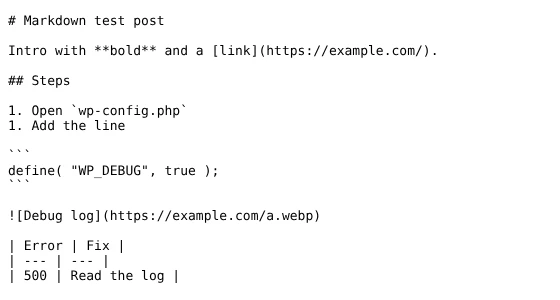
The converter handles headings, paragraphs, bold and italic, links, lists, code, images, and tables. Nested lists come out flat, and anything other plugins add to post content (share buttons, related posts) is included. Complex layouts, shortcodes that output scripts, and page builders will come out rough; for those, use one of the plugins in the plugins and CDN table at the end of this page.
Check it with curl:
```
curl -sI -H "Accept: text/markdown" https://yoursite.com/my-post/ | grep -i "content-type\|vary\|x-robots"
curl -sI https://yoursite.com/my-post/ | grep -i "content-type\|link"
```
On Windows, run `curl.exe` instead of `curl` and drop the `| grep …` part, or open `https://yoursite.com/my-post/?format=md` in a browser.
If `?format=md` works but the Accept test returns `text/html`, a page cache answered before WordPress ran. Purging confirms it, but the cache refills with HTML until it varies on Accept; the caching guide linked in the section on keeping HTML indexable covers each layer.
What our test site returned:
| Request | Response |
| --- | --- |
| Normal browser request | HTML, with `Vary: Accept` and the Markdown `Link` header |
| `/my-post.md`, `?format=md`, or `Accept: text/markdown` | `text/markdown; charset=utf-8`, `noindex` |
| Claude Code’s header (`text/markdown, text/html, */*`) | Markdown |
| `Accept: text/html, text/markdown;q=0.5`, `text/markdown;q=0`, or `Accept: */*` | HTML |
| A password-protected post asked for Markdown | HTML password form; the content stayed hidden |
| `/no-such-post.md` | 404 |
| A maintenance-style plugin blocking the post (priority 10) | The block applies to `.md`, `?format=md` and Accept requests too |
| Static front page, or Plain permalinks | Discovery link points to `/index.md`, or to `?format=md` |
q-values are the 0–1 preference weights in the Accept header. A client that rates HTML higher gets HTML, and when weights are equal, the type listed first wins. Browsers, and agents like Gemini CLI that send `*/*`, see your normal page.
If you’d rather not maintain this code, a plugin does the same job; the comparison at the end of this guide includes ours.
## Frequently Asked Questions
### Which AI agents ask for Markdown?
Coding agents such as Claude Code, Cursor and OpenCode ask for Markdown first in their Accept header. Consumer chat assistants like ChatGPT, the Claude web app and Perplexity still fetch the HTML page. Serving Markdown therefore mainly helps developer tools today, especially on documentation and reference pages that agents read for their users.
### Will serving Markdown hurt my SEO?
Not if HTML stays the page search engines index. Send Vary: Accept on pages that can return both formats, mark Markdown responses noindex, and never switch formats by user agent. Browsers and Google then keep getting HTML, while agents that ask for Markdown get the lighter version of the same content.
### Does WordPress serve Markdown out of the box?
No. On our WordPress 7.1.3 test site, a request with an Accept: text/markdown header and a ?format=md query both returned the normal HTML page, and a .md address returned a 404. A small must-use plugin or a dedicated plugin adds all three methods, along with the discovery link and the Vary header.
## Plugins and CDN options
Two plugins list all three methods: [Roots’ Post Content to Markdown](https://roots.io/serve-your-wordpress-posts-as-markdown/) and our own plugin (per [its documentation](https://skybootstrap.com/docs/skyboot-ai-markdown/llms-txt-and-markdown/)). AIOSEO served `.md` URLs but ignored the Accept header in Roots’ April 2026 test; the free AIOSEO 5.0.3 on our test site had no `.md` URLs. One CDN option, Cloudflare, converts pages at the edge. Check any plugin with the two curl commands from the plugin section before trusting its feature list.
| Option | Accept header | `.md` URL | Query string | Vary / noindex | Notes |
| --- | --- | --- | --- | --- | --- |
| Roots Post Content to Markdown | Yes (q-values) | Yes | `?format=markdown` | Both | Installed with Composer (needs SSH, not the Plugins screen); posts only by default |
| Skyboot AI Markdown (ours) | Yes | Yes | `?format=md` | noindex header; negotiated responses sent no-store | Paid; also builds llms.txt and sends a `Link` header (from our docs) |
| Lunatec Article to Markdown | Yes | Yes | Not stated | Not stated | Version 1.0.0, under 10 installs, tested up to WordPress 6.9.10 |
| AgentMark | Not stated | Yes | Not stated | Not stated | Version 1.0.1; also llms.txt |
| AIOSEO | No (HTML returned, per Roots) | Yes in Roots’ April 2026 test; none in free 5.0.3 on our site | Not stated | Not stated; no discovery link | Check your version with curl |
| Cloudflare Markdown for Agents | Yes | No | No | Adds `Vary: Accept`; noindex not stated | Converts at the edge; Pro plan and up |
Cloudflare’s option is the least work if your site already runs through it, since nothing changes in WordPress. A WordPress plugin gives you more control over what goes into the Markdown, such as front matter and which post types are included.
In ours, that covers posts, pages, products, categories, tags, author archives, and the homepage. Each Markdown page opens with front matter: title, meta description, canonical URL, publish and modified dates, author and language, plus price, stock, SKU, and brand on product pages. You choose which content types get a Markdown version under **AI Visibility → Settings → Content types**. **AI Markdown → Checker** fetches any of your pages the way an agent does, so you can confirm the result without curl.